57 58
To take a video
Touch VIDEO to change the camera mode to video.
Touch to start video recording. Touch the left part of
this icon to take a picture during video recording.
Touch the right part of this icon to pause video
recording and touch to continue. Touch to stop
recording. The video will be automatically saved.
5.1.1 Settings
Touch to set more options:
• Video quality: Touch to select video quality.
• Volume button function: Touch to set volume button
function in camera mode.
• Storage: Touch to choose between phone and SD
card storage when an SD card is inserted. The default
is phone storage.
• Save location information: Turn on to tag
photos and videos with your location. This option is
available when the GPS location service is enabled.
• Shutter sound: Touch to turn on/off shutter sound
when capturing.
• Reset settings: Touch to reset the camera to its
factory default settings.
5.2 Gallery ...............................................
Gallery acts as a media player for you to view photos
and play videos. It also automatically analyses photos
and organises them into groups, so that you can quickly
locate the photos you need.
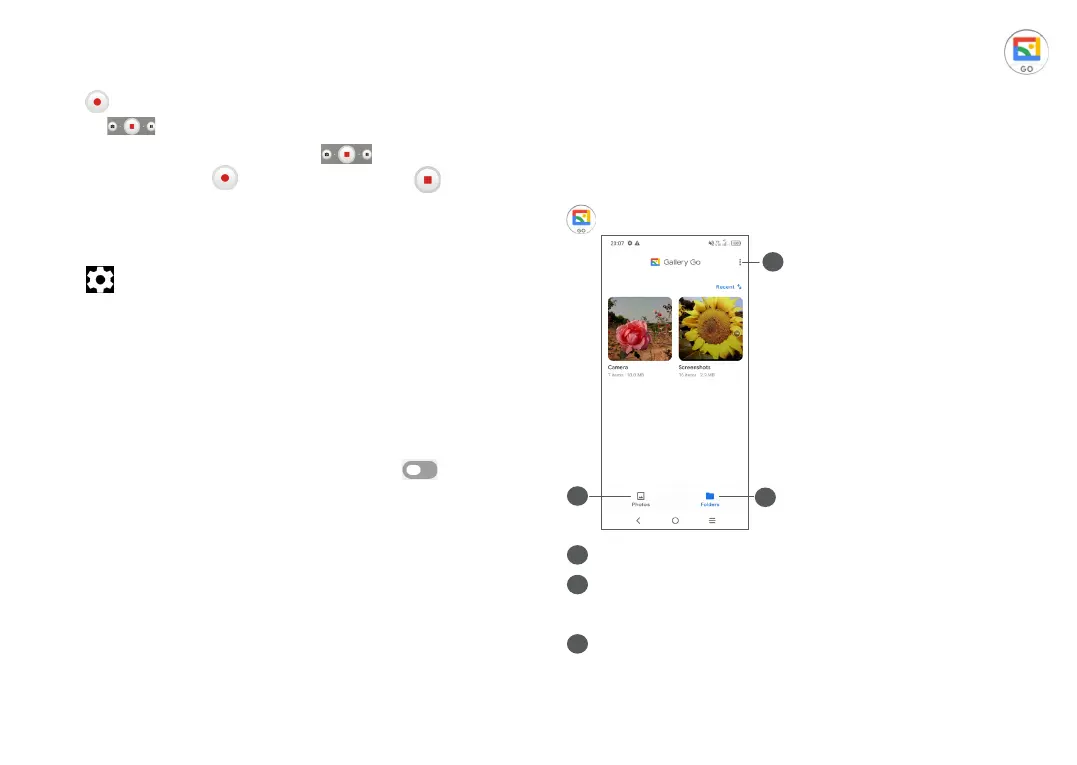
To view, edit or share the photos/videos, touch Gallery
from the Home screen.
1
3
2
1
Tap to access more options
2
Photos
View the photos/videos you have just taken
3
Folders
Photos, videos, screenshots, etc. are all automatically
grouped in Folders



 To Next Page