33 34
Recent Apps
• Tap to open a thumbnail list of apps you've
worked with recently. Tap a thumbnail to
open an app. Swipe up on the screen to
remove a specific thumbnail from the list, or
tap Clear All to remove all thumbnails from
the list.
The Google Assistant Button (on the left side of
the device)
• Press to access your Google Assistant. You
can get help such as getting directions and
restaurant information based on the content
detected on the screen.
Power/Lock key
• Press: Lock the screen or light up the screen.
• Press and hold: Show the pop-up menu to
select from Power off, Restart, Screenshot,
Airplane mode, or Emergency mode.
• Press and hold the Power key and Volume
down key to take a screenshot.
• Press and hold the Power key for at least 10
seconds to force reboot.
Volume keys
• Adjust the call volume during a phone call.
• Adjust the media volume while listening to
music or a video, or streaming content.
• Adjust the ringtone volume.
• Mute the ringtone of an incoming call.
• While using the Camera, press the Volume
up or down key to take a photo, or touch and
hold to take several photos.
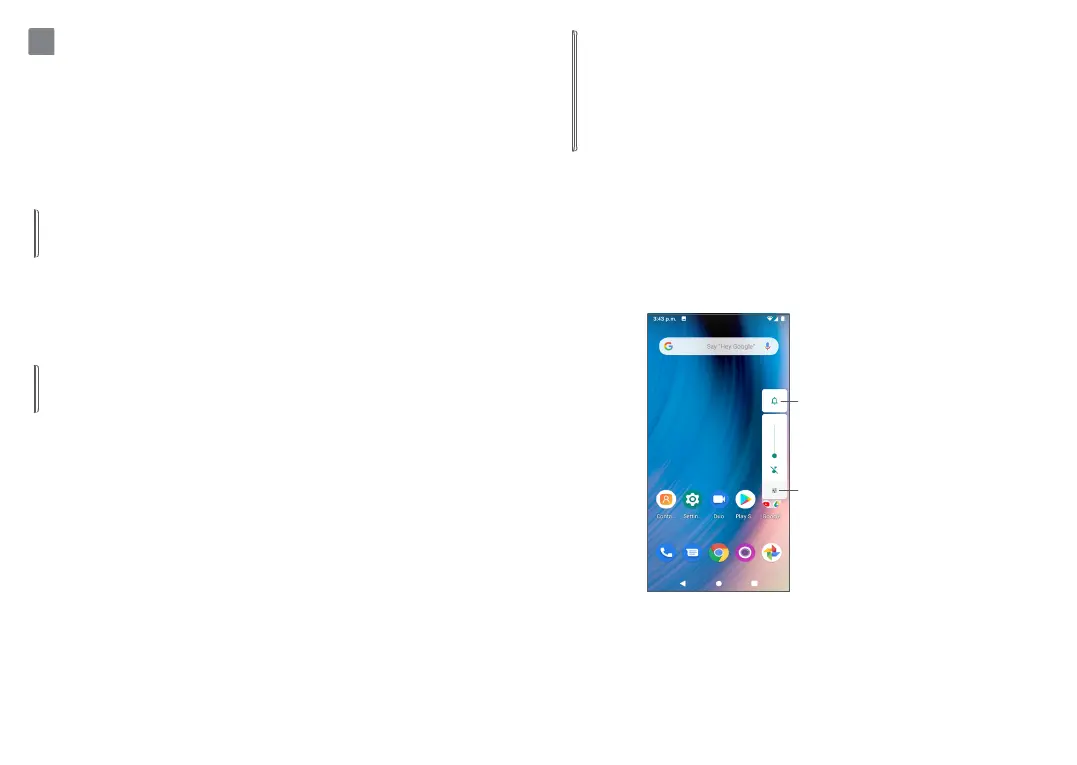
• Pressing the Volume keys will show a pop-up
menu for quick access to your Sound settings:
Tap to switch
between Sound,
Vibrate, and Mute
Tap to adjust the
volume of media,
calls, ringtones,
or alarms


 To Next Page