57 58
Conference calls
(1)
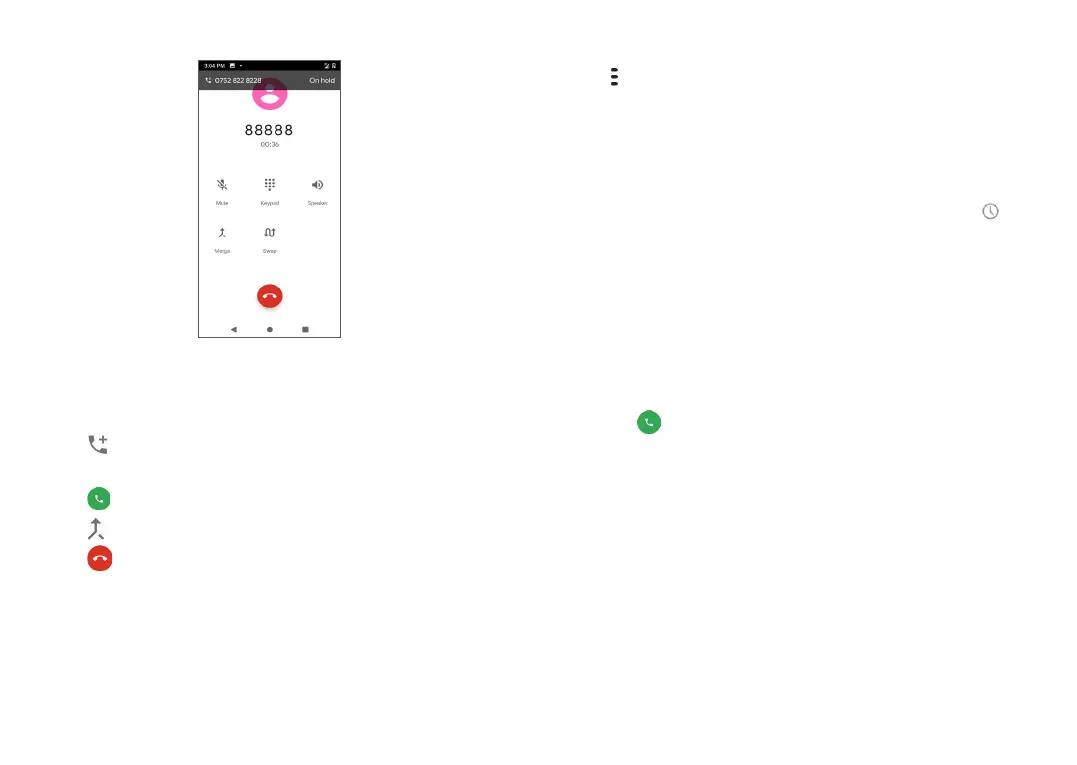
You can set up a conference call as follows.
• Place a call to the first participant of the conference
call.
• Tap to add a call, then dial the number or choose
from Contacts or Recent.
• Tap to place the call.
• Tap to start the conference.
• Tap to end the conference call and disconnect all
callers.
(1)
Depending on your network carrier.
3.1.6 Phone settings
Tap from the Phone screen, then tap Settings to
access options specific to the Phone app, such as
contacts, calls, voicemail, and more.
3.2 Call logs
You can access your call logs by tapping Recent from
the Phone screen to view missed calls, outgoing calls
and incoming calls.
Tap the contact image or icon to view more information
about the call, send them a text message, and edit their
contact information.
Tap the contact name to view the call history or send
them a message.
Tap the to quickly call them.


 To Next Page