35 36
Micro
SD
Note: microSD
TM
cards are sold separately.
Your phone only supports Nano SIM cards. Do
not attempt to insert other SIM types like mini
and micro cards as these may cause damage to
your phone.
Charging the battery
1.2 Getting started
1.2.1 Setting up
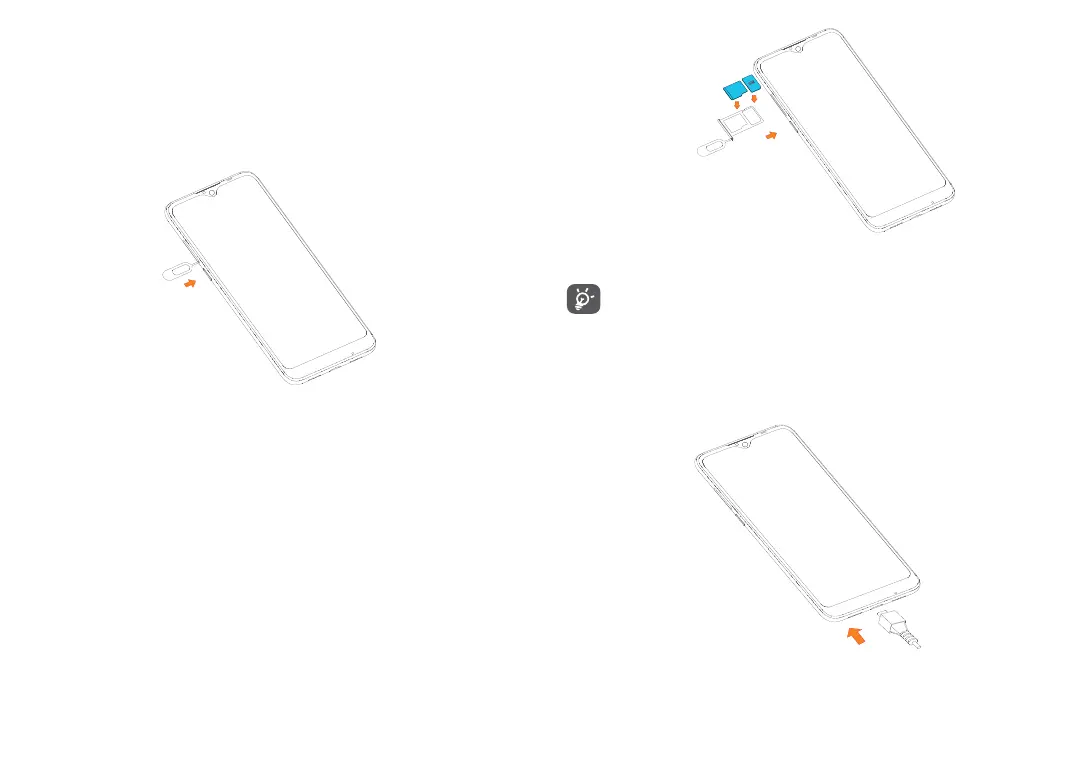
Insert the SIM pin into the pinhole outside of the SIM/
microSD
TM
card tray.
To install a Nano SIM or microSD
TM
card, place the card
with the chip facing down into the card tray, then slide
the tray into the slot on the side of your phone. To
remove a Nano SIM or microSD
TM
card, push up on the
chip side of the cards inside the card tray.


 To Next Page