EasyManua.ls Logo

Alcatel 2315 - User Manual

Alcatel 2315
9 pages
Print Icon
To Next Page IconTo Next Page
Loading...
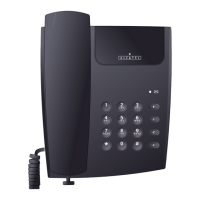
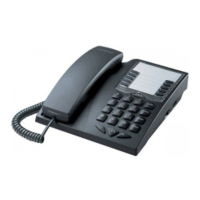
2315 Hotel set
The manufacturer reserves the right to modify any product characteristics without prior notice.
RCS Nanterre 390 546 059
1
ALCATEL 2315
USER GUIDE
Question and Answer IconNeed help?

Do you have a question about the Alcatel 2315 and is the answer not in the manual?

Summary

Phone Installation Guide

Making Outgoing Calls

Handling Incoming Calls

Placing Calls on Hold

Transferring Calls on Hold

Manual Programming Operations

Select Manual Programming Mode

Enter programming mode by taking handset off hook while pressing R (flash) for 2 seconds.

Setting Service or Message Key Code

Configure service buttons or message key codes by pressing HOLD, selecting button, dialing number, and pressing HOLD.

Erasing Service or Message Key Code

Erase service buttons or message key codes by pressing HOLD, selecting button, and pressing HOLD again.

Setting Flash Timing

Set flash timing to 100 ms, 300 ms, or 600 ms by pressing HOLD, FLASH, then a digit.

Setting Melody

Select melody pitch 1 or 2 by pressing HOLD, RD, then 1 or 2, followed by HOLD.
Safety and Compliance

Alcatel 2315 Specifications

General IconGeneral
BrandAlcatel
Model2315
CategoryTelephone
LanguageEnglish

Related product manuals