4
Using your telephone
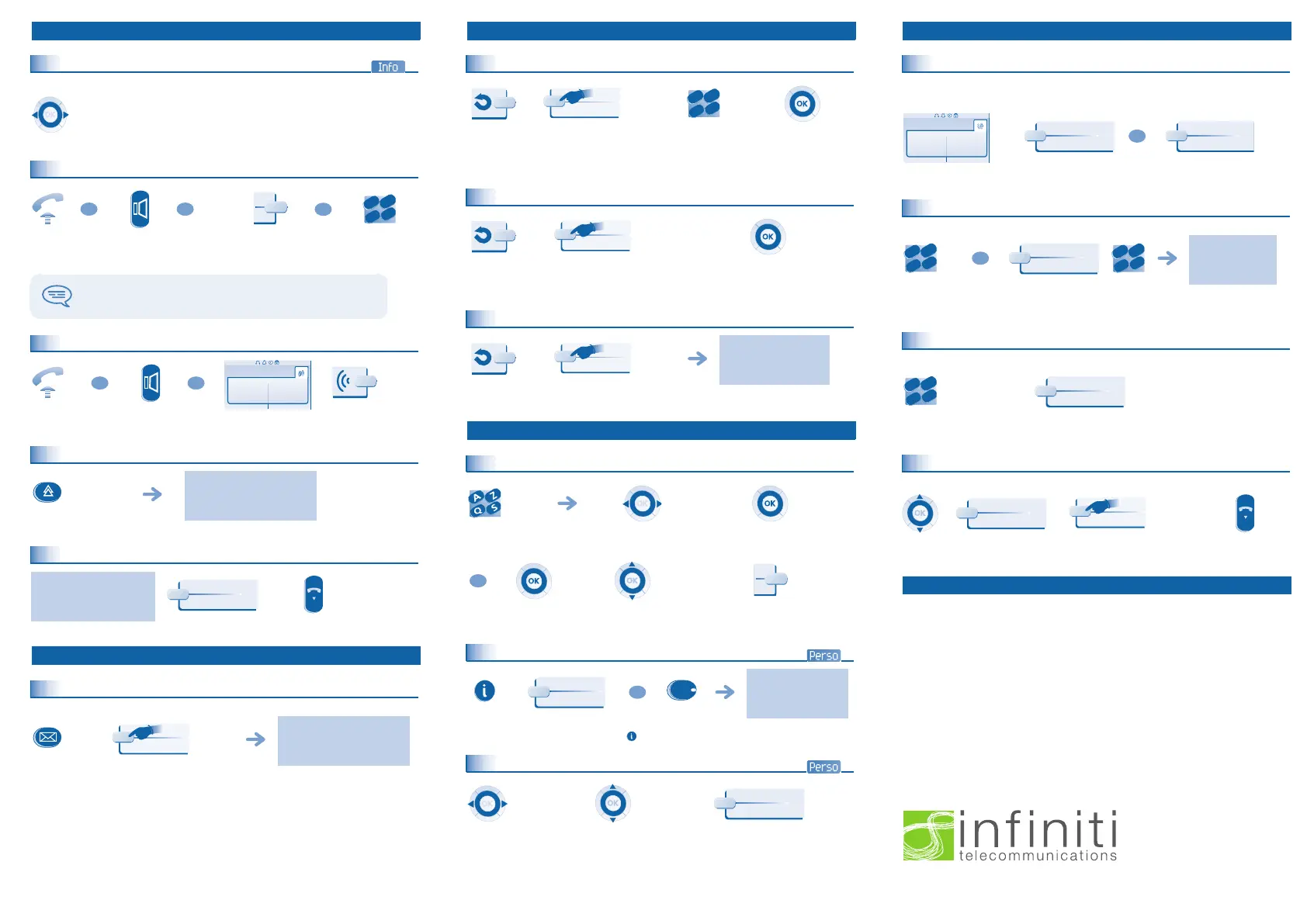
Identify the terminal you are on
The number of your telephone is displayed on the "Info
" page.
Making a call
Receiving a call
Redialling
Make a call-back request to a busy number
Voice message service
Consulting your voice mailbox
If the key flashes, a new voice message or a new text message has been received.
Access the Info
page using the navigator.
lift the receiver hands free programmed line key dial directly the
number for your
call
To make an external call, dial the outside line access code
before dialling your correspondent's number.
lift the
receiver
hands free press the key next to the "incoming
call"
icon
last number redial
the number you are calling
is busy
hang up
follow informations
displayed on the screen
press the key next to
"consult voice
or text message"
OR
OR
OR
2
6
5
3
a
b
c
def
jkl
m
n
OR
OR
Paul
is calling
¤Callback
Divert your calls to another number
Divert your calls to another number
Diverting calls to your voice mailbox
When you return, cancel all diversions
Directory
Using call by name
Program your call keys
Make calls via your programmed call keys
press the key associated with the
type of diversion required
(immediate, if busy, if no reply
etc.)
dial the
destination
number
press the ok key if
programming is not
automatically recorded
press the key associated
with
"divert to voice
mailbox"
press the ok key if
programming is not
automatically recorded
if necessary, conrm
cancellation of the
diversion
press the key next to "cancel or
deactivate the diversion"
enter the first
letters of the name
select the name from the
displayed list
make the call
select the name from the
displayed list
make the call
follow informations
displayed on the
screen
press a call key or a programmable key (f1 or f2),
either directly or via the "i" key
access the
perso
page
using the
navigator
find the correspondent you
want to call from the
programmed call keys
call the chosen
correspondent
2
6
5
3
a
b
c
def
jkl
m
no
OR
…
OR
Helen
During a conversation
Sending DTMF signals
During a conversation you sometimes have to send
DTMF signals, such as with a voice
server, an automated attendant or a remotely consu
lted answering machine. The function
is automatically cancelled when you hang up.
Calling a second person during a conversation
During a conversation, to call a second person.
Transferring a call
During a conversation, to transfer the call to another number:
Three-way conference
During a conversation, a second call is on hold.
Guarantee and clauses
Th
i
s
docume
n
t
desc
ribes
the servic
es
available on telephones Alcatel 4028-4029
connected to an
Alc
atel OmniPCX
Of
f
ice o
r Alcatel OmniPCX Enterp
rise
sy
stem . Fo
r
more information,
plea
se con
sult
the User Gu
ide for
you
r
4028 (IP set) or 4029 (
di
gital set). Contact your installer.
Warning: never place your telephone in cont
a
ct with water. T
o
clean
you
r telephone, you may however
use a damp
soft cloth. Never use solvents (trichlorethylene, acetone, e
t
c.
) which may dama
ge
the plastic
parts of your telephone. Never spr
ay it with c
leaning products.
Earpiece may retain magnetic objects.
The wording is not contractual and may be s
ubject to change. Some functions of your telephone
are
controlled by a software key and the config
uration of the uni
t.
EC: We
, Alcatel Business Systems,
hereby
declare that
we assume
t
he Alcat
el 4028 or 4029
product
to be compliant with the esse
ntial requirements of Dire
cti
ve 1999/5/CE of t
he European Parliament
and Council. A copy of the
original of this declaration of compliance can be
obt
ained from
your
installer.
Alcatel Business Systems, in keeping with its policy of constant product improvement for the customer,
reserves the right to modify product specifications without prior
notice. Copyright © Alcatel Business
Systems. 2004. All rights reserved.
during a
conversation
to activate
the rst call is on
hold
dial directly the
number for
your call
dial
number to be
called
three-way
conference
cancel conference and return to
first correspondent
hang up on all
correspondent
Paul
in conversation
¤MF code
OR
Send DTMF
2
6
5
3
a
b
c
def
jkl
mno
OR
New call
2
6
5
3
a
b
c
def
jkl
mno
2
6
5
3
a
b
c
def
jkl
mno
Transfer
¤Confer
NOEADGR030-020
NOEADGR030-050
NOEADGR030-060
NOEADGR070-000
NOEADGR070-010
3GV19003BSAAed01.fm Page 4 Lundi, 22. novem bre 2004 3:22 15
- We come to you
- Easy Finance
- Professional Installation
- Professional Training
- Ongoing Support
- Australia’s only 100%
moneyback guarantee
1800 850 214


 To Previous Page
 Loading...












