21 22
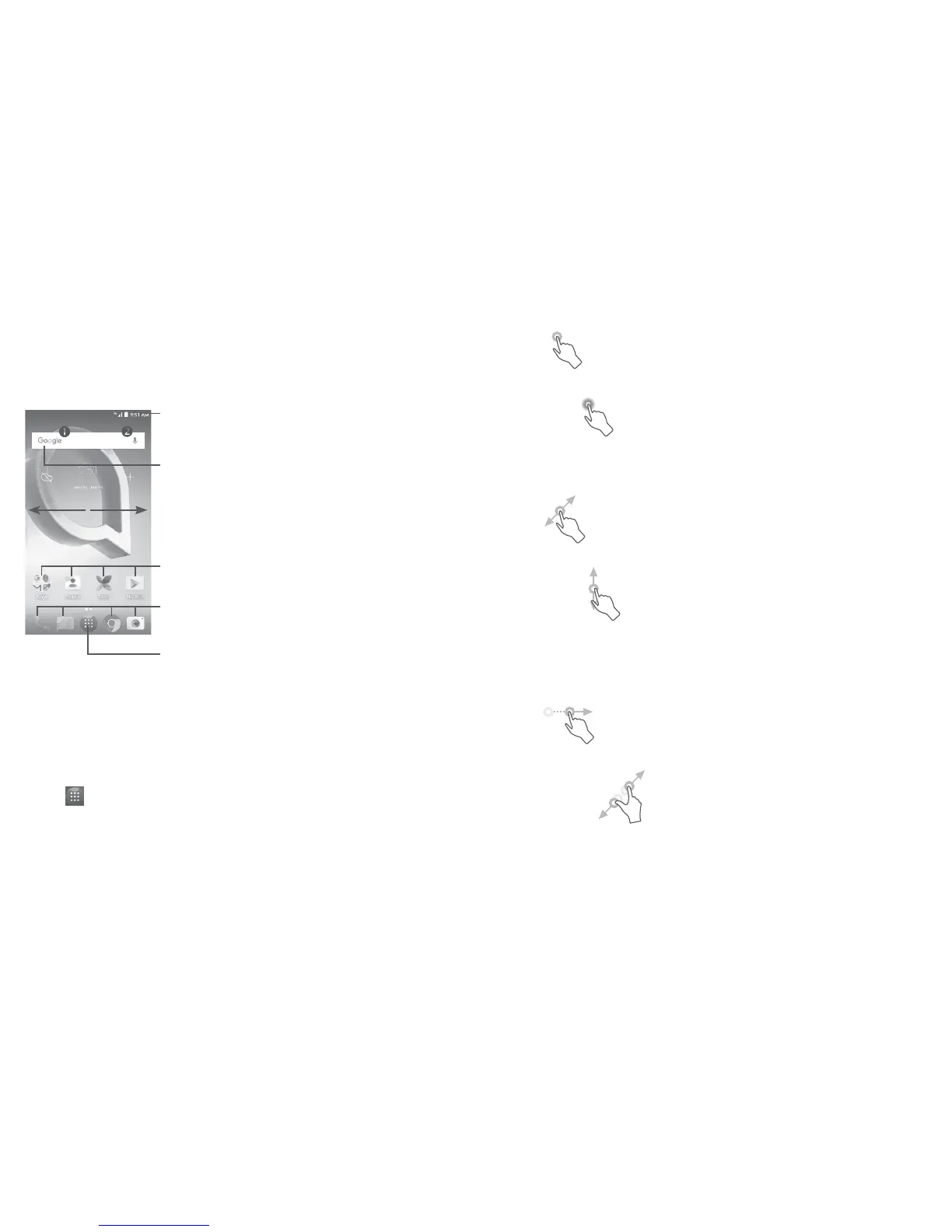
1.3 Home screen
You can bring all the items (applications, shortcuts, folders and widgets)
you love or use most frequently to your Home screen for quick access.
Touch the Home key to switch to the Home screen.
Touch to enter the applications list.
Status bar
• Status/Notification indicators
• Touch and drag down to
open the notification panel.
Touch an icon to open an
application, folder, etc.
Favorite tray applications
• Touch to enter the application.
• Long press to move or remove applications.
Search bar
• Touch to enter text search screen.
• Touch to enter voice search screen.
The Home screen is provided in an extended format to allow more
space for adding applications, shortcuts etc. Slide the Home screen
horizontally left and right to get a complete view.
Reversible screen
The phone supports the reversible function. From the Home screen,
touch to open the applications list, then touch Settings\Display.
Touch When device is rotated to select from Rotate the contents on
screen or Stay in portrait view.
1.3.1 Using the touchscreen
Touch
To access an application, touch it with your finger.
Long press
To enter the available options for an item, long press the item. For
example, select a contact in Contacts, long press this contact, an
options list will appear.
Drag
Place your finger on the screen to drag an object to another location.
Slide/Swipe
Slide the screen to scroll up and down the applications, images, and
web pages. You can slide the screen horizontally too.
The device also supports one finger zooming in the Camera and
Gallery functions. Double touch the screen to zoom in/out.
Flick
Similar to swiping, but flicking makes it move quicker.
Pinch/Spread
Place two fingers on the screen surface and draw them apart or
together to scale an element on the screen.















 To Next Page