37 38
Manage accounts
Touch to add your email accounts.
Display options
• Sort by
Touch to sort the list by the first name or last name.
• Name format
Touch to choose whether to display first name first, or last name
first.
3.2 Call log
You can access your call memory by touching RECENTS tab from
the Call screen to view Missed calls, Outgoing calls and Incoming calls.
Touch a contact or number to view information or further operations,
you can launch a new call, send SMS to the contact or number, view
detailed information of the call, or clear the call.
Touch View full call history to view all call log, touch and DELETE
to clear the entire call memory.
3.3 Contacts ...............................................................
Contacts enables quick and easy access to the contact you want to
reach.
You can view and create contacts on your phone and synchronize
these with your Gmail contacts or other applications on the web or
on your phone.
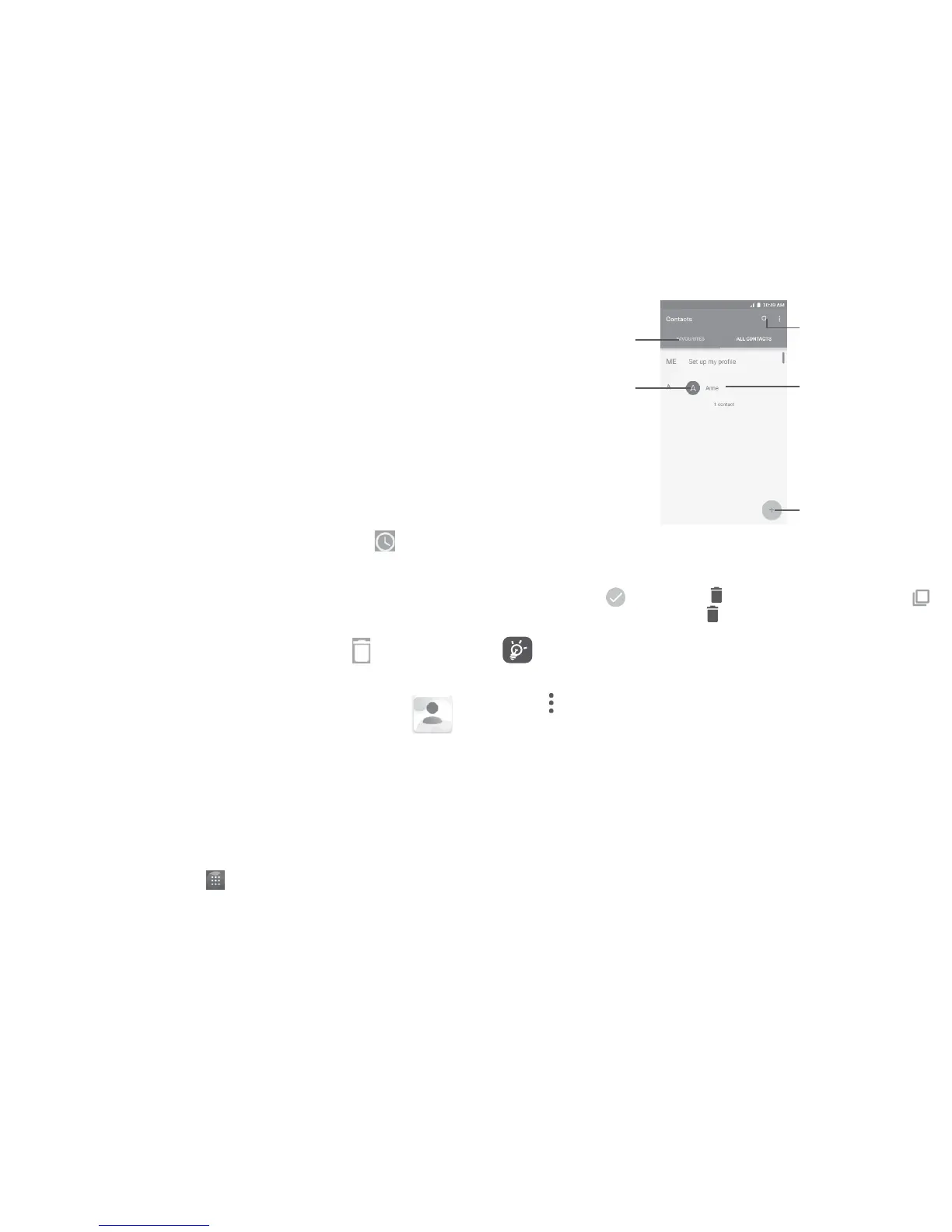
3.3.1 Consult your Contacts
To see your contacts, touch from the Home screen, then select
Contacts.
Touch to add new
contact.
Touch to open
Quick Contact
panel.
Touch to view
your favorites.
Long press to
select the current
contact or all
contacts to delete.
Touch to search in
Contacts
Delete a contact
To delete a contact, long press the contact you want to delete, the
icon will turn to , then touch and confirm to delete. Touch
to select all contacts, then touch and confirm to delete all contacts.
The contact you have deleted will also be removed from other
applications on the phone or web the next time you synchronize
your phone.
Touch to display the contacts list option menu, following actions
are enabled:
• Contacts to display
Choose contacts to display.
• Merge contacts
Select duplicate contacts to merge.
• Import/Export
Import or export contacts between phone, SIM card, microSD card
and phone storage.















 To Next Page