12
2 Text input .....................................
2.1 Using onscreen keyboard ....................
Onscreen Keyboard settings
Touch the Application tab from the Home screen, select
Settings>Language & input, choose a keyboard under
Keyboard & input methods.
2.2 Google keyboard ...................................
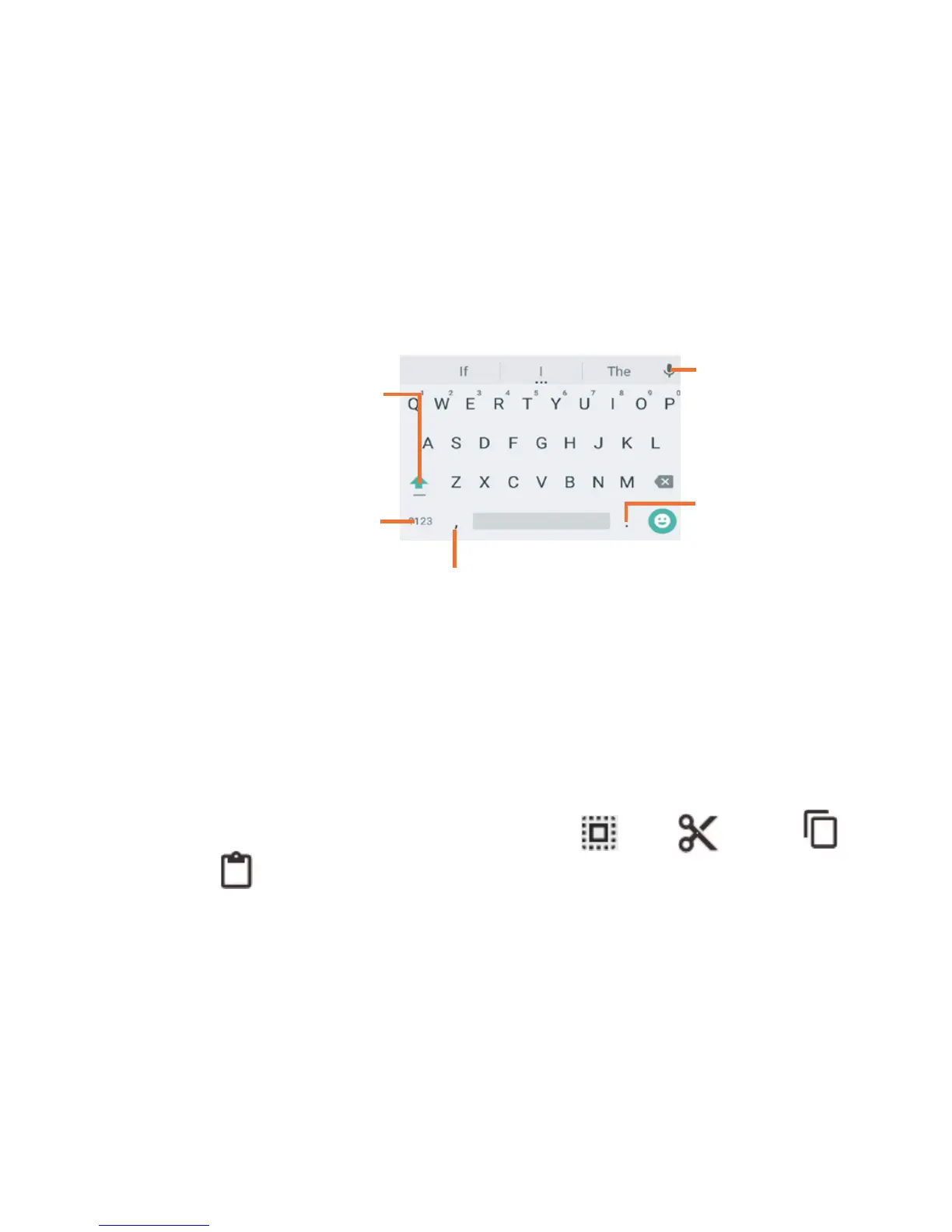
Long press
to select
symbols.
Touch to switch be-
tween symbol and
numeric keyboard.
Touch to switch be-
tween "abc/Abc" mode;
Touch & hold to switch
between "abc/ABC"
mode.
Long press to show input options.
Touch to
enter voice
input.
2.3 Text editing .............................................
You can edit the text you have entered.
• Long press or double-tap within the text you would like to
edit.
• Drag the tabs to change the high-lighted selection.
• Following options will show: Select all , Cut , Copy
, Paste .
You can also insert new text
• Touch where you want to type, or long press the blank, the
cursor will blink and the tab will show. Drag the tab to move
the cursor.
• If you have selected any text, touch the tab to show PASTE
icon which allows you to complete pasting immediately.











 To Next Page