23
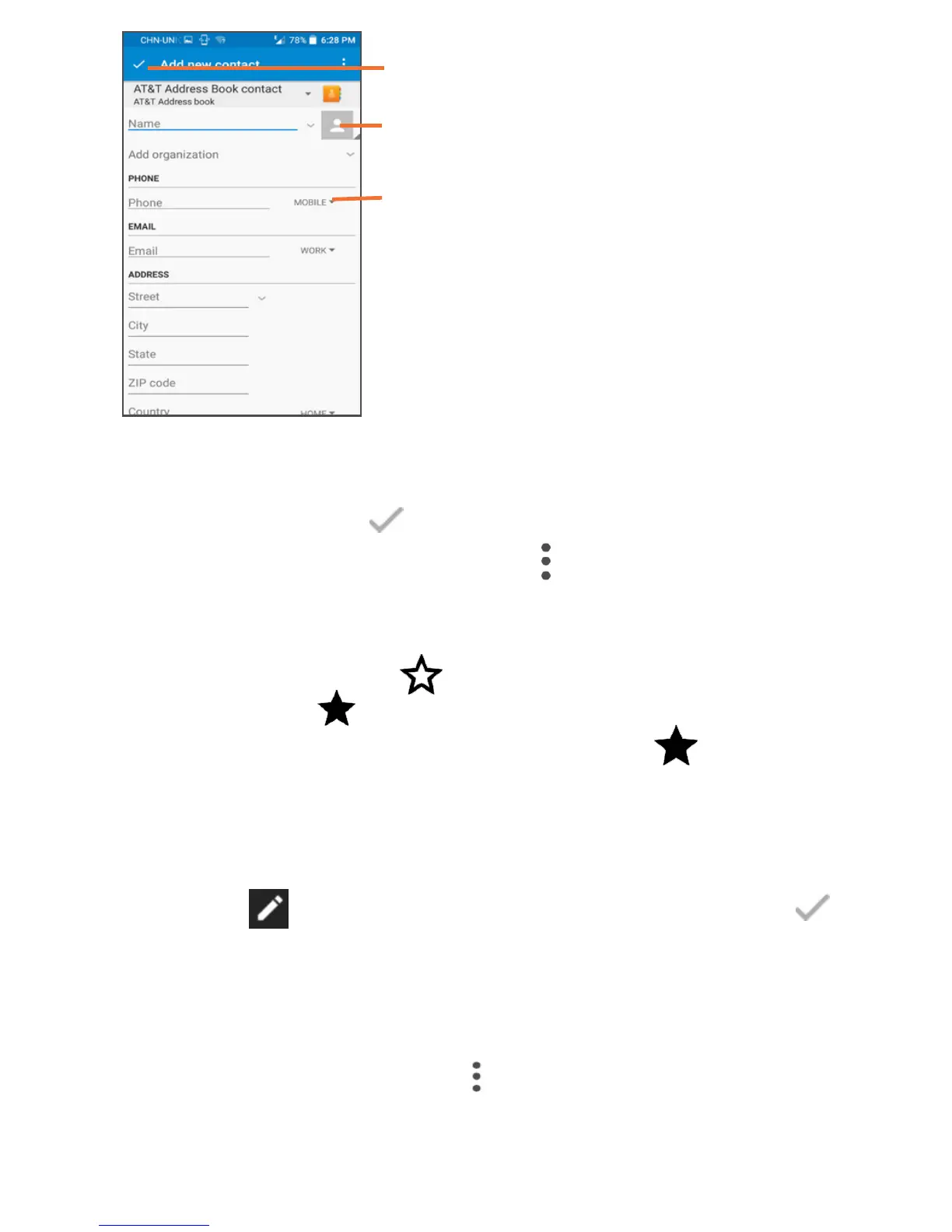
Touch to select a picture for
the contact.
Touch to unfold the other
predefined labels of this category.
Touch to save.
If you want to add more information, touch ADD ANOTHER
FIELD to add a new category.
When finished, touch to save.
To exit without saving, you can touch and select DISCARD.
Add to/remove from Favourites
To add a contact to Favourites, you can touch a contact to
view details then touch to add the contact to Favourites
(the star will turn ).
To remove a contact from favourites, touch on contact
details screen.
4.2.4 Editing your contacts
To edit contact information, touch to choose the contact,
then touch on top of the screen, When finished, touch .
4.2.5 Contacts importing, exporting and sharing
This device enables you to import or export contacts between
phone storage, SIM card, and SD card storage.
From Contacts screen, touch to open options menu, touch











 To Next Page