61
Setting a song as the default ringtone
You can select a song to be used as the ringtone for all incoming calls,
except those from contacts to whom you have assigned special ringtones.
1.
From the home screen, tap > Music to see the music library.
2.
Tap beside of a song in any list.
3.
Tap Use as ringtone.
Playing music
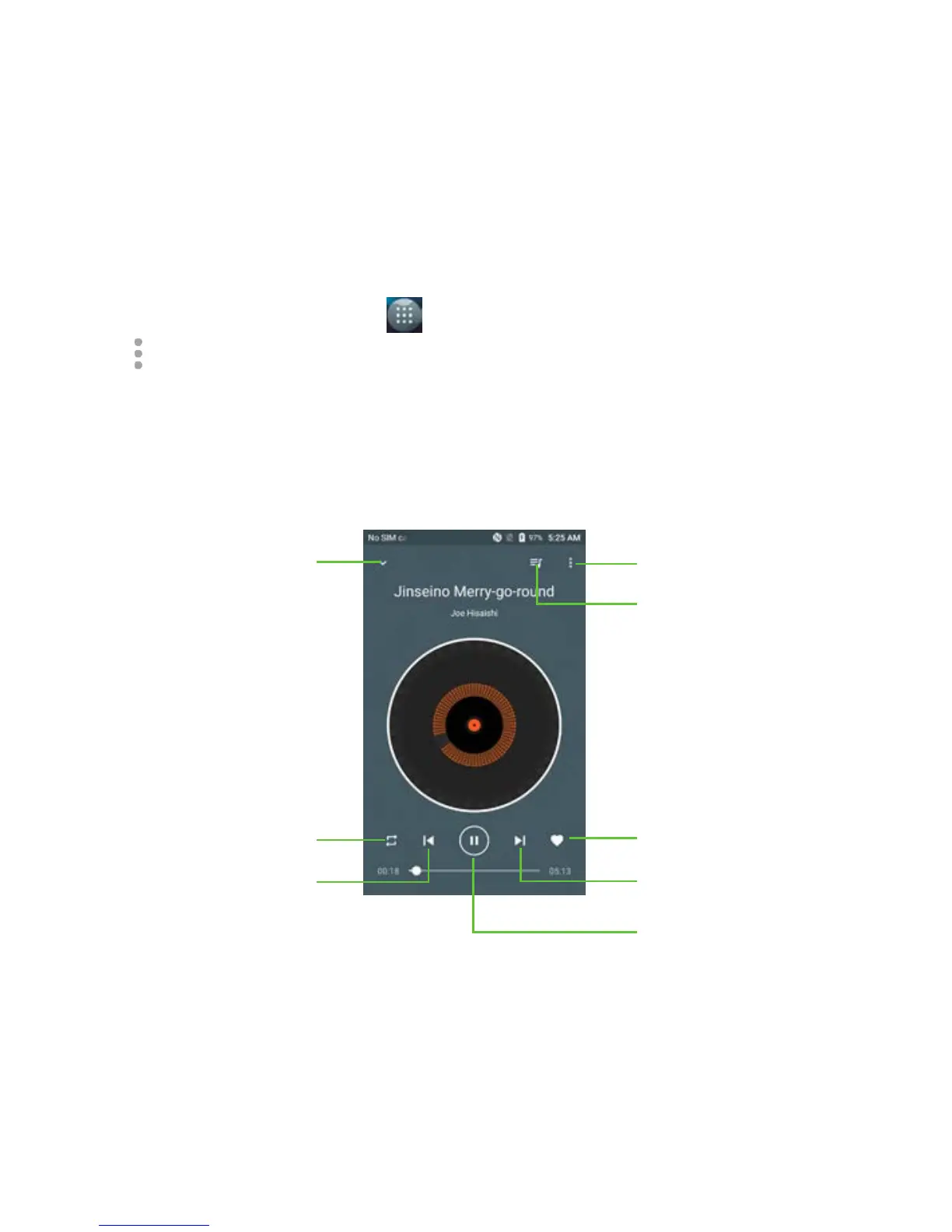
Tap a song in the music library to begin playing it. The following playback
screen appears.



 To Next Page