7
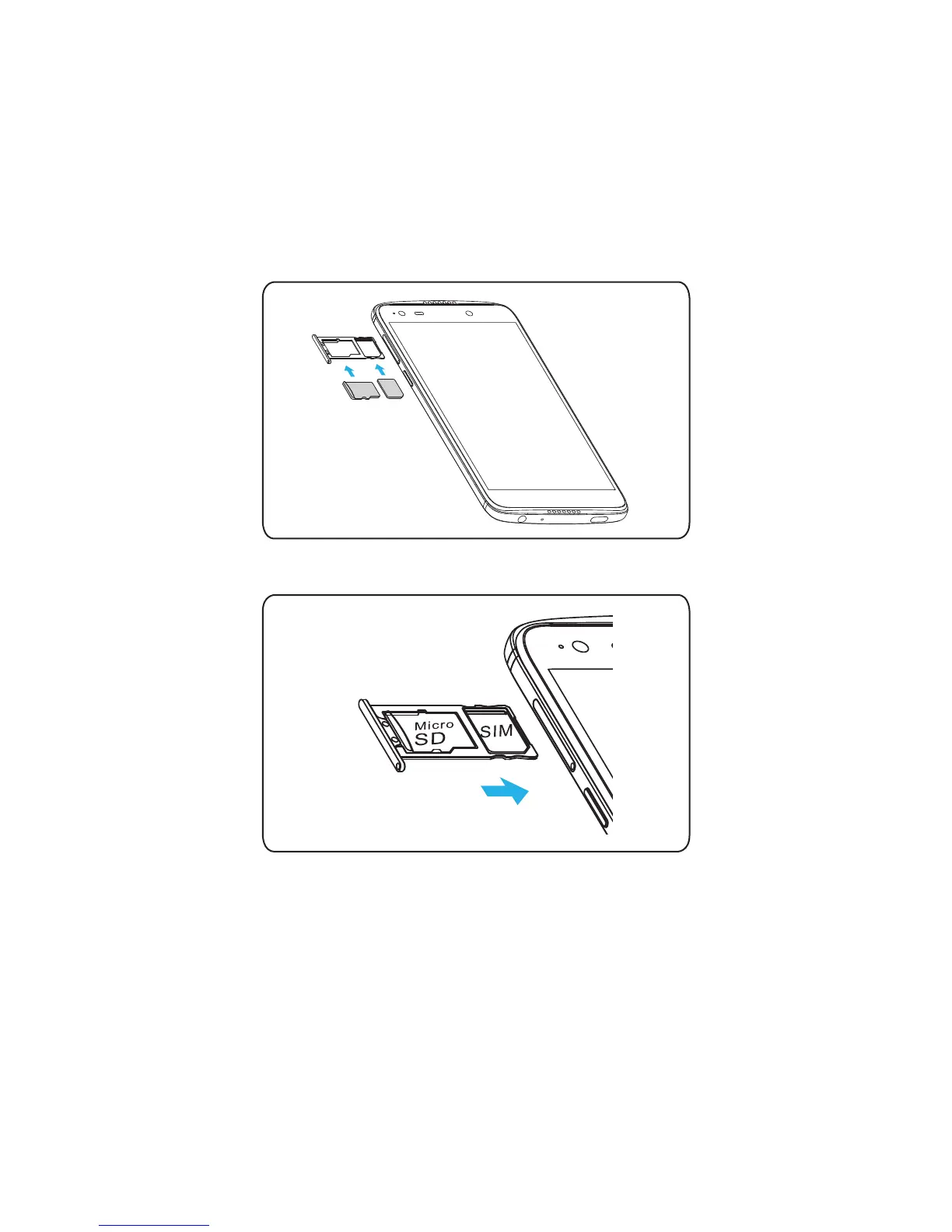
2. Carefully place the nano-SIM card and microSD
TM
card (sold seperately) in
the SIM tray as shown below. Ensure that both cards have been placed in
the correct orientation and secured.
MicroSD
SIM
3. Carefully close the SIM tray.
Important: To avoid damage to the phone, please use the standard
nano-SIM card included in the box.
Some applications may require a microSD card to work normally or to store
data. Therefore, it is recommended that you keep a microSD card installed
and not remove or replace it.




 To Next Page