10
2
About your Device ............................................
2.1 Home Screen
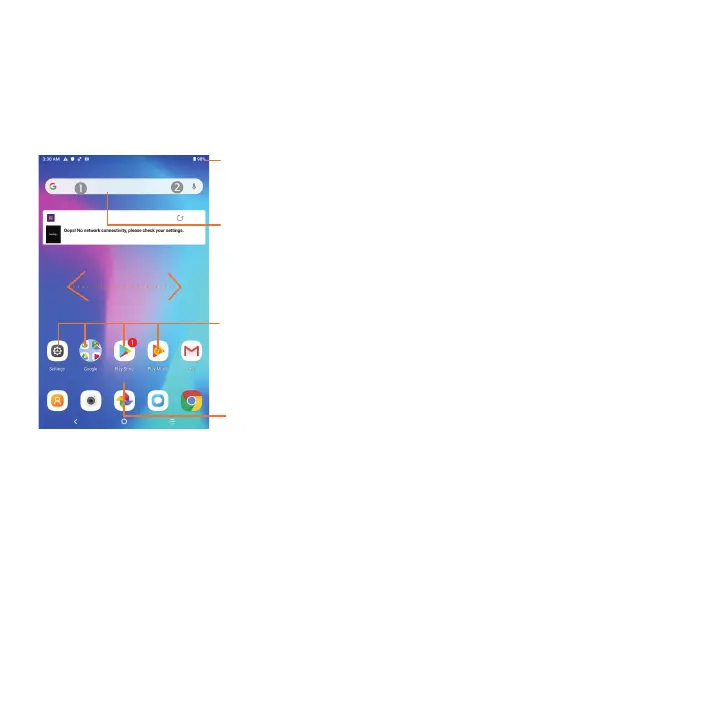
Slide up to enter the applications list.
Status bar
•Status such as battery level and app notifications appear in the Status bar.
•Drag down to open the Notification panel.
Swipe left or right to view more screens
Applications shortcuts
•Tap on the icon to open the application.
•Press and hold to move or remove applications.
Search bar
Enter text search screen.
Enter voice search screen.



 To Next Page