43 44
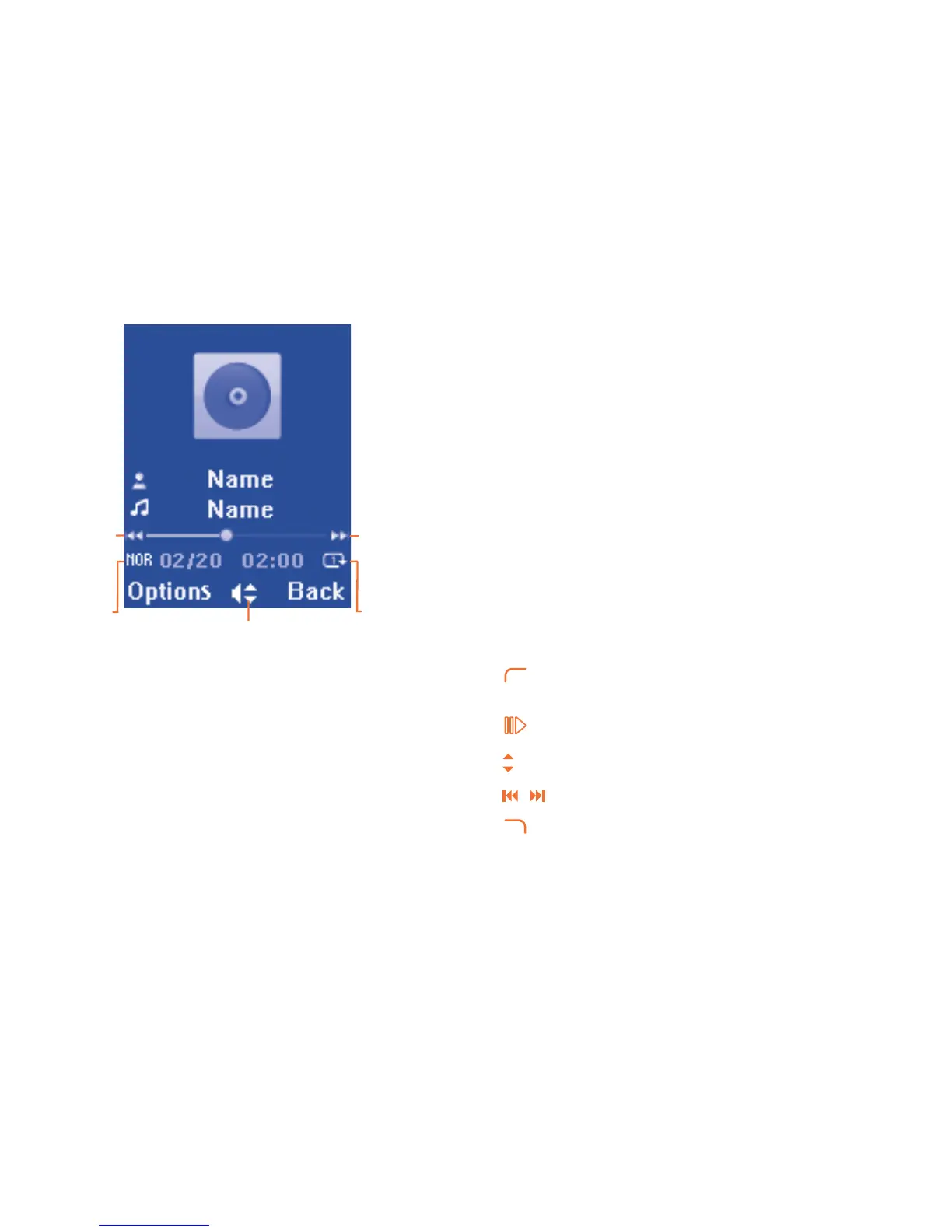
Music playing mode11.1.1
Play/pause
- Previous song
(press)
- Backward
(press and
hold)
Equalizer
Play mode
- Next song
(press)
- Forward
(press and
hold)
To adjust the volume, use the up/down key.
Settings11.1.2
Play mode Normal, Repeat current, Repeat all, Shuffle and
Repeat shuffle.
Equalizer Different music styles preset in the cellphone for
your selection.
Display Enable your player to display song information.
or lyric.
Playing with lyrics11.1.3
Lyrics can be displayed in synchronization with the music.
Video11.2
"My videos" album contains video clips recorded, received or downloaded.
All video clips in this folder can be played, set as Power on/off, sent,
deleted, renamed, sorted.
Useful icons/keys:
Switch between Normal screen and Full screen
display.
Set as play/pause.
Set the volume level.
/
Previous/next video.
Back to previous menu.






 To Next Page