45 46
Media applications
10
.............
Music10.1 ..........................................................
To access this function, tap to enter the main menu and select .
You will have full flexibility of managing music both on your mobile and
memory card.
You can have access to your music files through one of the following:
All songs Contains all songs both on phone memory and
memory card.
My star list You can simply add your favourite songs to
“My star list” by tapping
on the screen
(max 100).
Folders Category of songs in folder.
Album/Artist/Genre Music files are categorized by Album, Artist or
Genre based on information stored in the tags.
Those missing such information will be classified
as “Unknown files”.
Update songs Update the information of songs saved in phone
or memory card.
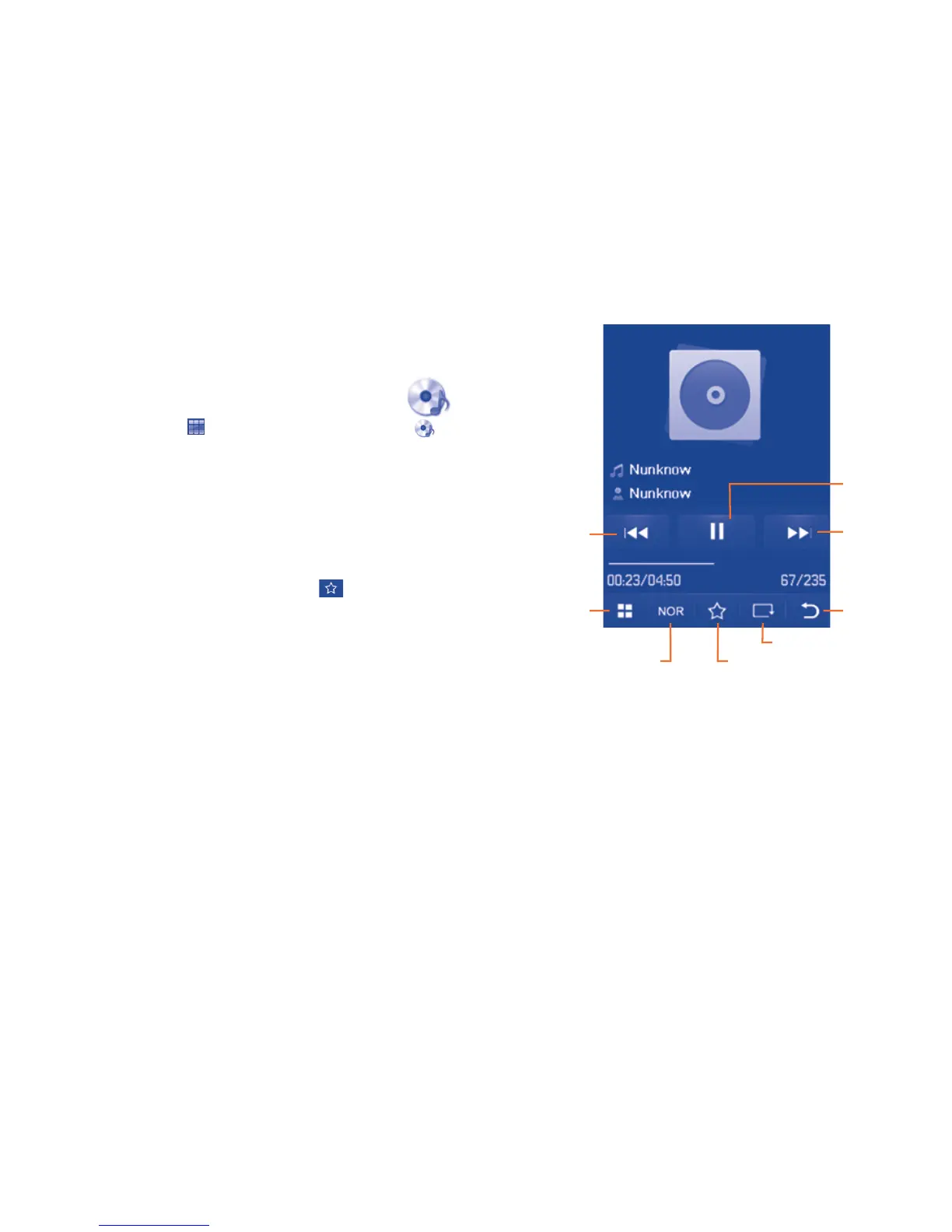
Music playing mode10.1.1
Play/pause
- Previous song
(short press).
- Backward
(long press)
Options
Equalizer
Back
Play mode
Add to my star list
- Next song
(short press).
- Forward
(long press)
To adjust the volume, use the Volume key.



 To Next Page