15 16
Power on your phone1.2
Hold down the key until the telephone powers on, type in your PIN
code if necessary and then confirm. The main screen is displayed.
If you do not know your PIN code or if you have forgotten it, contact
your network operator. Do not leave your PIN code with your
telephone. Store this information in a safe place when not in use.
If cell broadcast messages are displayed, tap to browse through them or
press
to return to the main screen.
While the phone is searching for a network, “Searching/Emergency”
will be displayed.
In the power on screen, you also have access to the functions of “Radio”,
“Camera”, “Music”, etc. even if there is no SIM card inserted.
Power off your phone1.3
Hold down the key from the main screen.
Using the touchscreen1.4
Tap
To access an application, tap it with your finger.
Drag
Place your finger on the screen to drag the object to the destination.
Scroll
Slide the screen to scroll up and down the applications, images, web
pages...at your convenience.
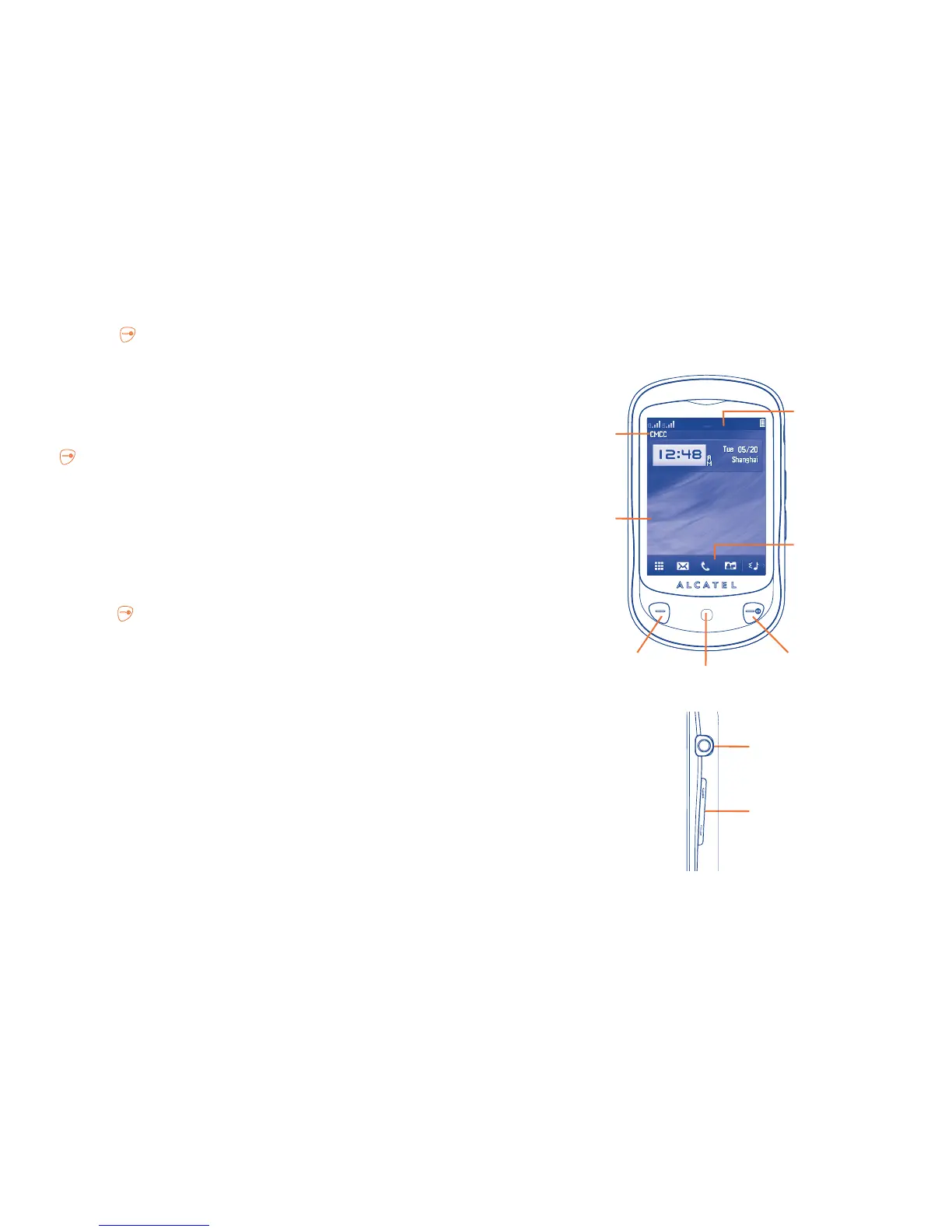
Your mobile
2
..........................
Switch on/ Switch off/
End call
LED light
Status bar
Tool bar
Headset connector
Volume key
Info bar
Desktop
Pick up/ Send call/
Call log



 To Next Page