47 48
Settings10.1.2
Access by pressing the right navigation key for following options:
Play mode Normal, Repeat current, Repeat all, Shuffle and
Repeat shuffle. You may also customise it simply
by taping
on the screen.
Equalizer Different music styles preset in the phone for
your selection. You may also customise it simply
by tapping
on the screen.
Play in Bluetooth/
Play in Phone &
Bluetooth
Play music in Bluetooth or both in phone &
Bluetooth.
Display Enable your player to display song information.
or lyric.
Broadcast You may share music with others when you
tune in the same frequency.
Playing with lyrics10.1.3
Lyrics can be displayed in synchronization with the music.
Image10.2 ..........................................................
A library links to the images in “My creations” in phone to be shown
in list, slide, or thumbnail, set as Wallpaper, Screen saver, Power on/off
display, and Contact ID, or sent by MMS, Email, Bluetooth.
Useful icons:
Set as wallpaper
List view
Delete
Back
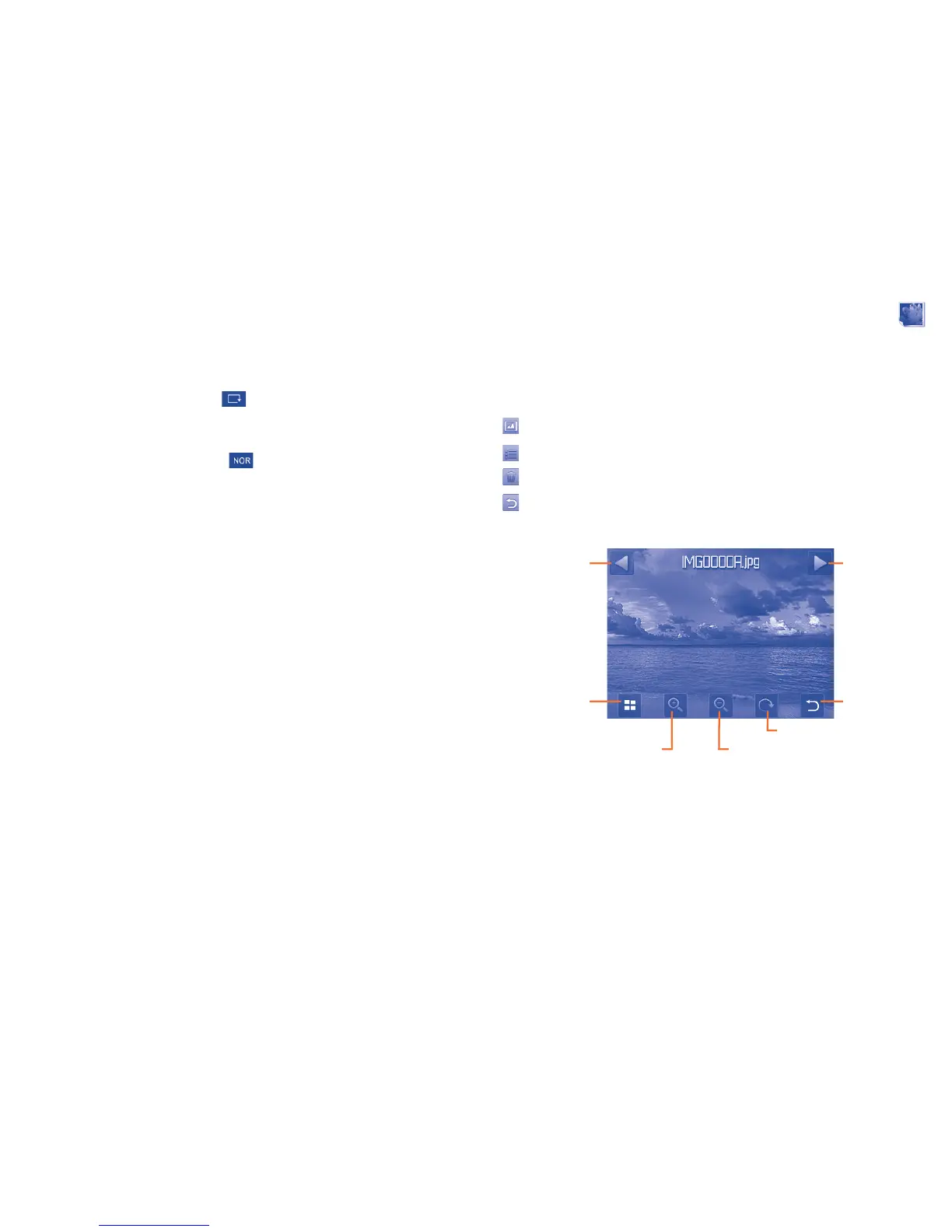
Tap a image once to view it in full screen:
Options
Previous image
Zoom in
Back
Rotate
Zoom out
Next image



 To Next Page