60 61
• HDR: HDR (high-dynamic range) photos can better reflect the visual
effects people have in the real environment by synthesizing images under
different exposure time.
• Pano: Turn on the panorama function. Touch the shutter button to start
taking panoramic photo and move the phone steadily along the direction
indicated by the onscreen line. Once the preview frame is filled, the phone
will automatically save the photo.
Tap the
icon to access Camera settings:
• GPS tagging: Turn on/off the GPS tagging.
• Shutter sound: Turn on/off the shutter sound.
• Video quality: Set video quality.
• Sound recording: Turn on/off sound recording.
Recording a video
1. From the home screen, tap > Camera .
2.
Aim the camera at the subject. You can tap any area on the screen that
you want the camcorder to focus on before and during recording.
Tip: Pinch or spread on the screen to zoom in or zoom out.
3.
Tap to start recording.
4. Tap to stop recording.
Tip: While the recording is in progress, you can tap
to save the frame as a
separate photo.
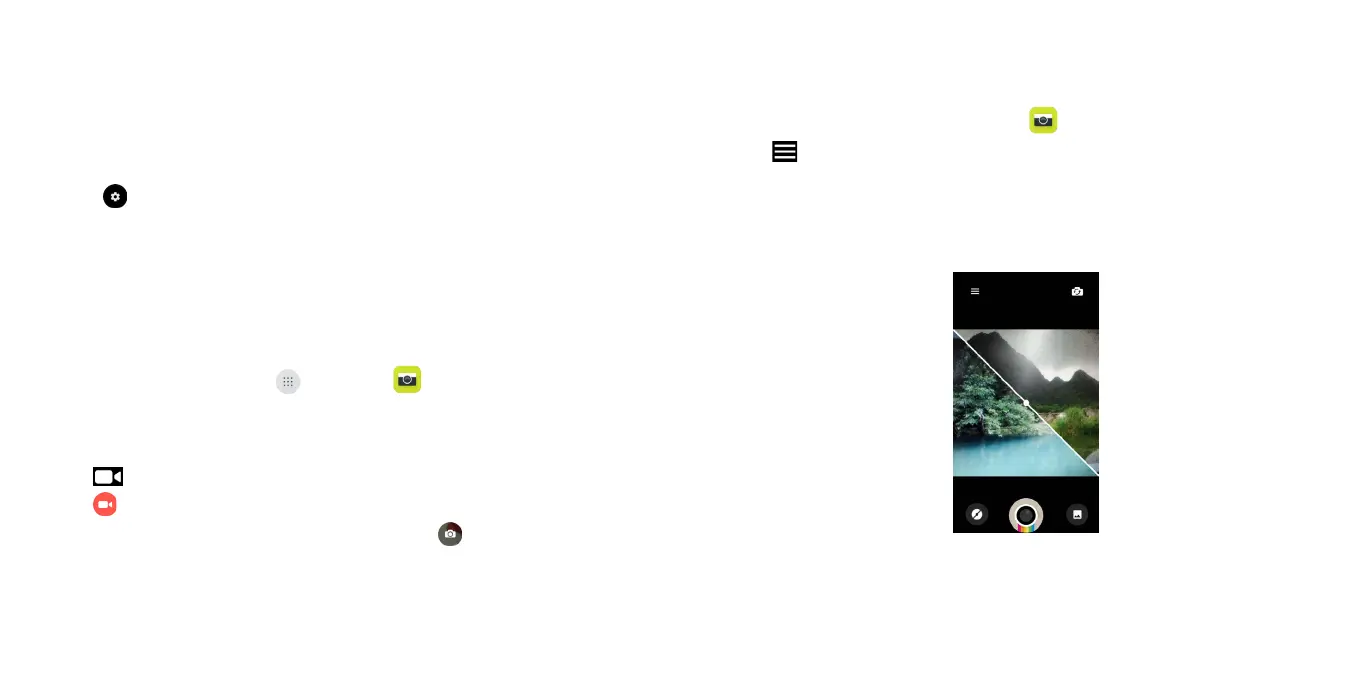
Polaroid Features
Take a picture
1. From the home screen, tap Camera
.
2. Tap
and select Polaroid.
3. Zoom in and out by pinching with your fingers.
4. Tap the Shutter button or press the Volume Keys to take a photo.
5. Tap the Shutter button again to take another photo. You can see 2 photos
are in one screen.





 To Next Page