12 13
• Drag: To drag, press and hold your finger with some pressure before you
start to move your finger. While dragging, do not release your finger until
you have reached the target position.
• Pinch: In some apps (such as Maps, Browser, and Gallery), you can zoom
in and out by placing two fingers on the screen and pinching them
together (to zoom out) or spreading them apart (to zoom in).
• Rotate the screen: For most screens, you can automatically change
the screen orientation from portrait to landscape by turning the phone
sideways.
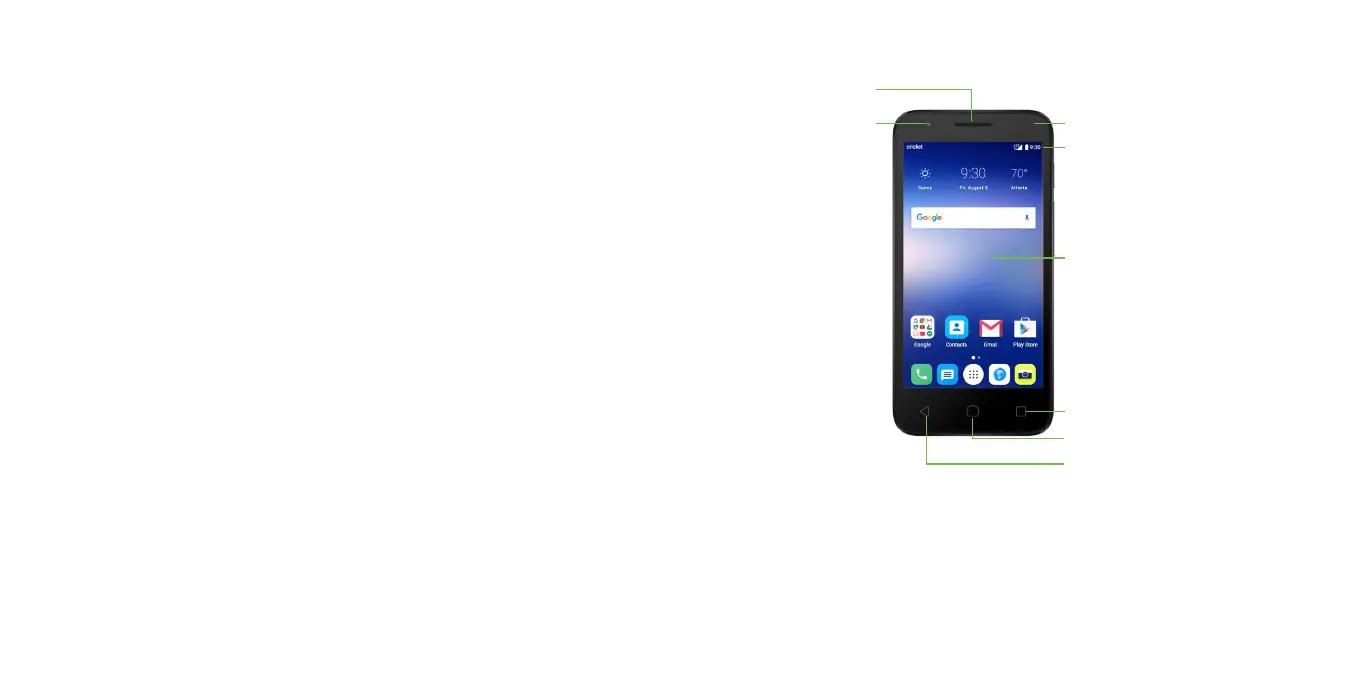
Getting to know your phone
Camera lens
Status and notification bar
Indicator light
Receiver
Home key
Touch screen
Back key
Recent apps key








 To Next Page