INSTRUCTION MANUAL 6
USING THE ALCOLOCK GR
PERFORMING A TEST
WARNING! DO NOT turn the ignition on. You must
provide a breath test rst. Turning the ignition key to the
on position will cause a “Turn off key” message on the
handset display and may result in a violation.
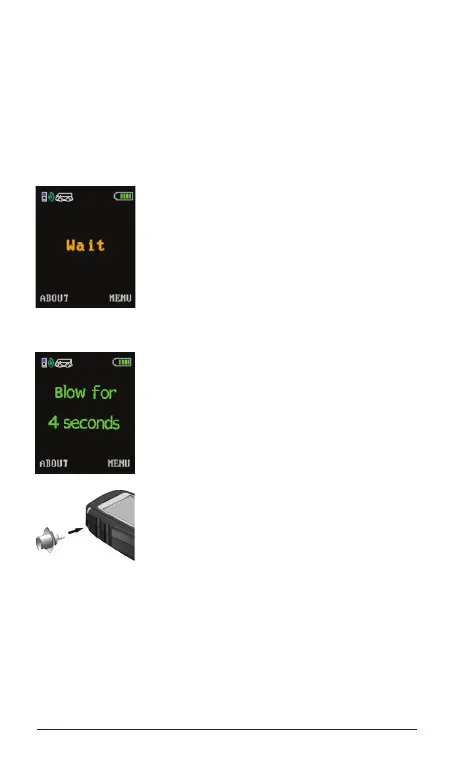
To activate the alcohol interlock, press the
centre of the navigation button (Enter):
(hold for 4 seconds) the display will indicate
Wait. This message will remain on the
display until the handset warms up.
If the alcohol interlock is connected to
power, but is in sleep mode, activate
the handset by pressing the navigation
button.
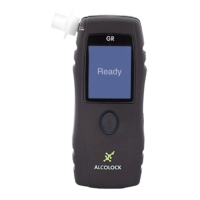
The display will indicate Blow for 4
seconds and the indicator light will glow
green when the handset is ready for a
breath test. The warm-up time may be
longer in cold temperatures.
NOTE: Do not store the mouthpiece in a
cold area before use.
Insert a clean mouthpiece.
NOTE: Do not eat, drink or smoke for at
least 15 minutes before the test. Swish
and swallow fresh water to remove any
contaminants from mouth.
Blow moderately and continuously into the mouthpiece and
then hum. The handset makes a tone to indicate proper
airow and hum. If you are not blowing correctly, a message
will appear on the display indicating the necessary corrective
action.
Stop blowing when the tone ends. The display will indicate
Wait as the breath sample is being analyzed.


 To Next Page