28
Use
Use
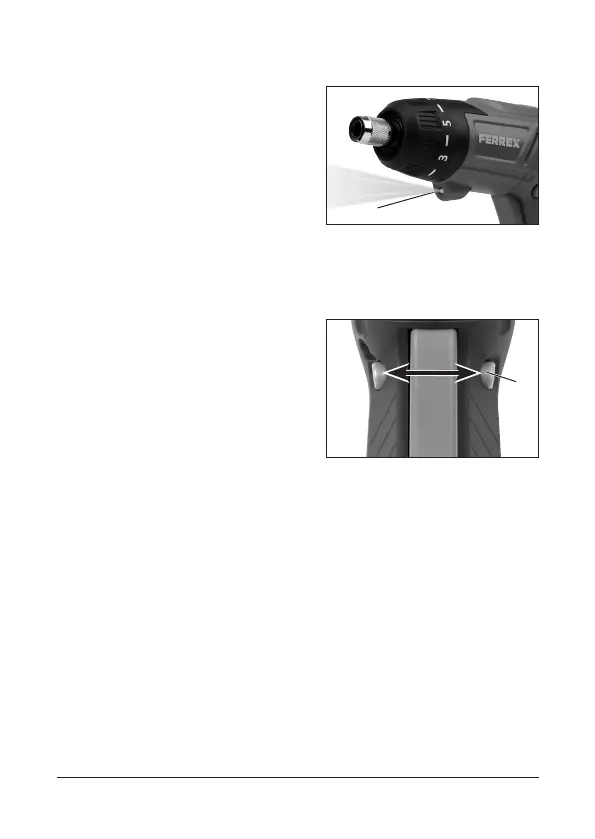
The pivot handle screwdriver
is fitted with an LED working
light (7).
This lights up when the On/
Off switch is pressed.
Left/right rotation, trigger lock
The direction of rotation of
the pivot handle screwdriver
can be set using the switch
for left/right rotation (4).
• Slide the switch (4) to the
left for clockwise rotation.
• Slide the switch to the right for anti-clockwise rotation.
• In the middle position the switch acts as a trigger lock.
Setting the torque
The torque of the pivot handle screwdriver can be
adapted using the torque pre-selection function to suit
the hardness of the workpiece. Setting 1 represents the
lowest torque, and setting 7 the highest.
7
4
FX-5902183-5902184-Bedien-2002.indd 28FX-5902183-5902184-Bedien-2002.indd 28 18.05.20 15:4518.05.20 15:45



 To Next Page