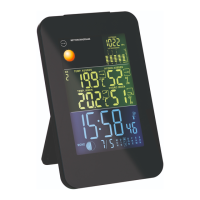
Time zone
1. Press the DOWN button
15
to change the time zone.
The corresponding time zone icon
38
will show on
the display. Time zone: P = Pacific, M = Mountain, C =
Central, E = Eastern.
Time format
To change between 12 and 24-hour time formats, see
chapter “Manual settings”. If 12-hour format is selected,
the afternoon hours are identified with the PM time icon
34
.
Weather data
Display (weather data)
The weather data are displayed in the indoor weather
27
and outdoor weather
29
areas of the display. The
indoor weather area shows the data recorded by the
base unit and the outdoor weather area shows the data
sent by the radio sensor.


 To Next Page