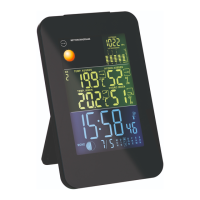
Temperature and humidity trend
For the temperature and humidity values measured
by the base unit and radio sensor, the trend is shown
in the form of an arrow. A rising trend is indicated by
a rising icon ( )
51
. A falling trend is indicated by a
dropping icon ( )
46
.
A change in trend is displayed when the temperature
changes by 1 °C or more, or the humidity by 3 % or
more within one hour.
Units of temperature
To change the temperature unit (°C/°F) on the base
unit, press and hold the MEM button
6
.
Air pressure
Display (air pressure)
The air pressure data are displayed in the air pressure
area
30
of the display.
INHG
PRESSURE
HISTORY


 To Next Page