-61-
• a photo was already taken upon ringing the doorbell, but you may choose to take
another picture of your visitor during your conversation by pressing the
button.
• press the
button to disconnect the call (or wait for 2 minutes until the call is
disconnected automatically)
When multiple outdoor units are registered:
When multiple outdoor units are registered and somebody presses the doorbell,
the camera number X# in the upper part of the screen will indicate at which outdoor
unit your visitor is calling.
6.3 Monitor: (looking outside yourself (only when used on external power))
Also when there’s nobody pressing the doorbell, you may still enable the camera
and take a picture.
• briey press the
button to switch on the indoor unit from its sleep mode
• press and hold the
soft-button for 1 second to switch on the monitor function;
the display will be enabled to show the area in front of the camera
• you may listen via the speaker (talking back is only possible after pressing the
button)
• press the
button to take a picture
• press the
button to disconnect or wait for 5 minutes until the connection is
disconnected automatically
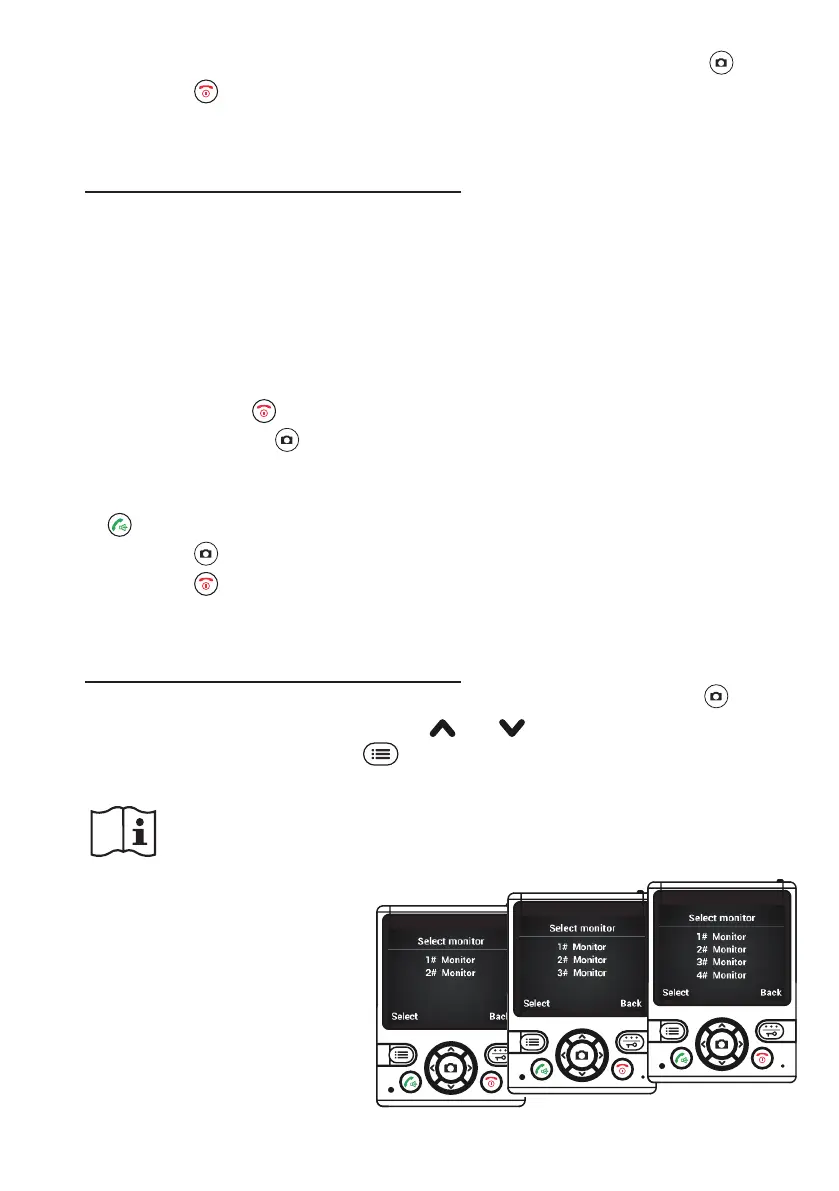
When multiple outdoor units are registered:
When multiple outdoor units are registered and you press and hold the
but-
ton for 1 second, you must rst use the
and buttons to select the desired
outdoor unit and then press the
button to conrm.
Attention: if the outdoor unit is powered by batteries, the monitor function
is NOT available.


 To Next Page