59
outdoor sensor.
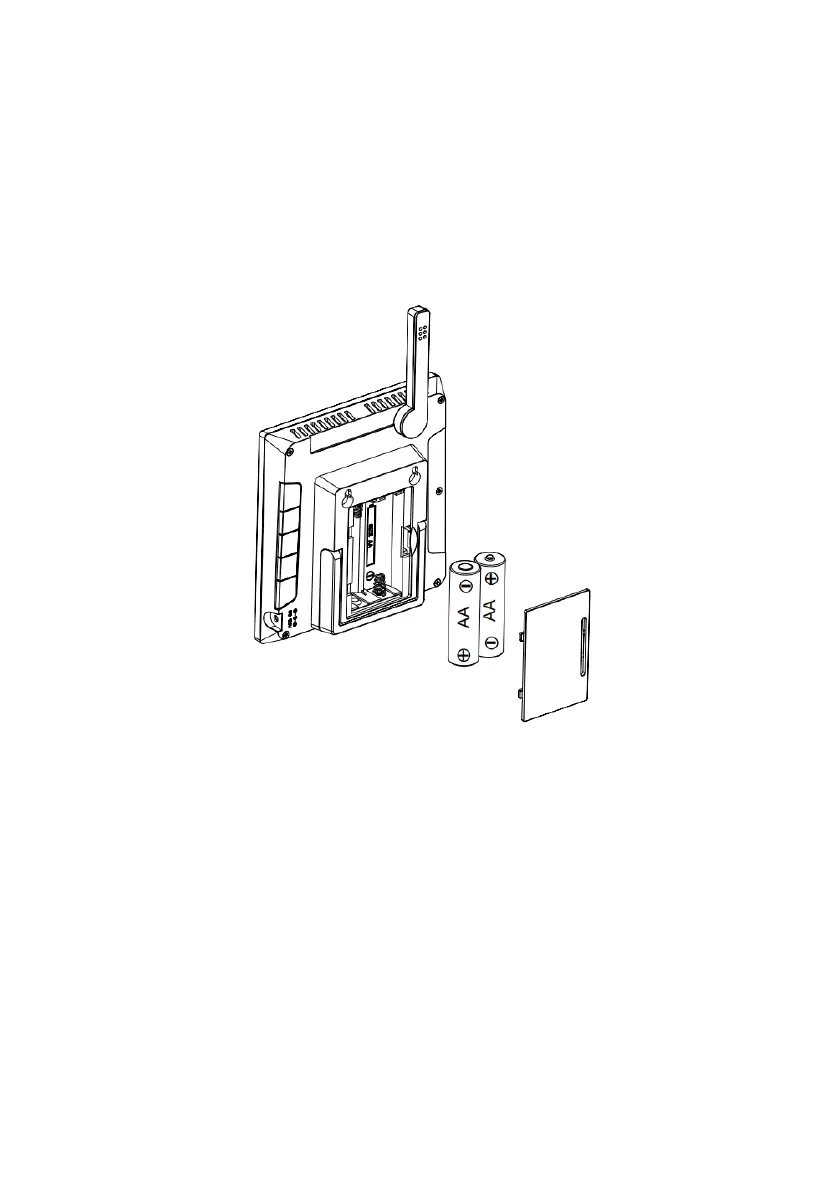
(2) Remove the battery door on the back of the console and insert 2 x AA
good quality Alkaline or Lithium batteries per Figure 14.
(3) Wait several minutes for the remote sensors to synchronize with the
display console.
(4) In order to prevent the display console's own temperature rising from
affecting the accurate reading of temperature and humidity, the
temperature and humidity sensor is placed at the antenna end, away from
the station body. Orient the console antenna straight up for accurate
indoor temperature and humidity reading.
Figure 14: Battery installation for display console


 To Next Page