61
5.2 Initial Display Console Set Up
Insert the batteries to power up the display console.
The unit will show software version and frequency information 2 seconds after
power reset.
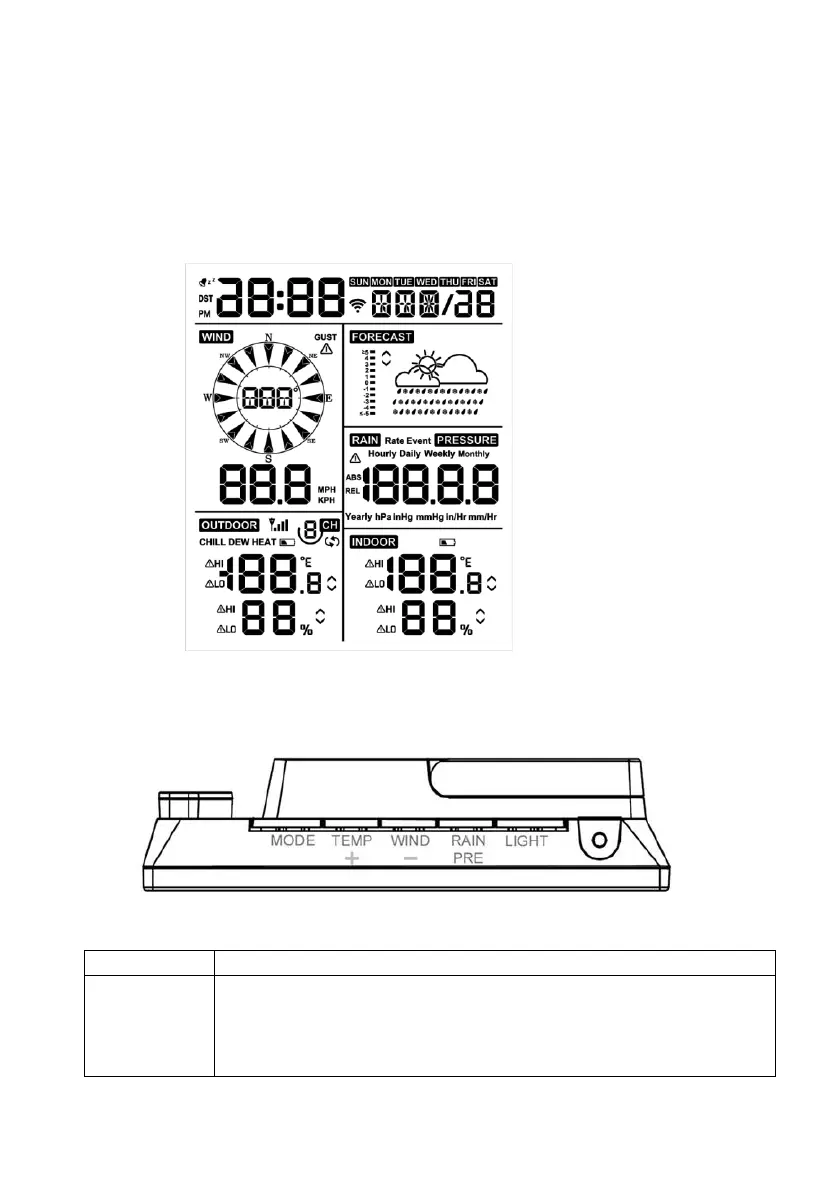
The unit will turn on all segments of the LCD for 3 seconds after power reset,
then the unit will start to register the outdoor channel for 3 minutes.
Figure 16
5.2.1 Key function
The console has five keys for easy operation
Figure 17
• Press and hold for two seconds to enter the Set Mode.
• Press to switch between Normal Mode, Max Mode, Min
Mode, High Alarm Mode, Low Alarm Mode, MAC
address display Mode


 To Next Page