EasyManua.ls Logo

Alecto WS5200 - Barometric Pressure Display

Alecto WS5200
Print Icon
To Next Page IconTo Next Page
To Previous Page IconTo Previous Page
Loading...
64
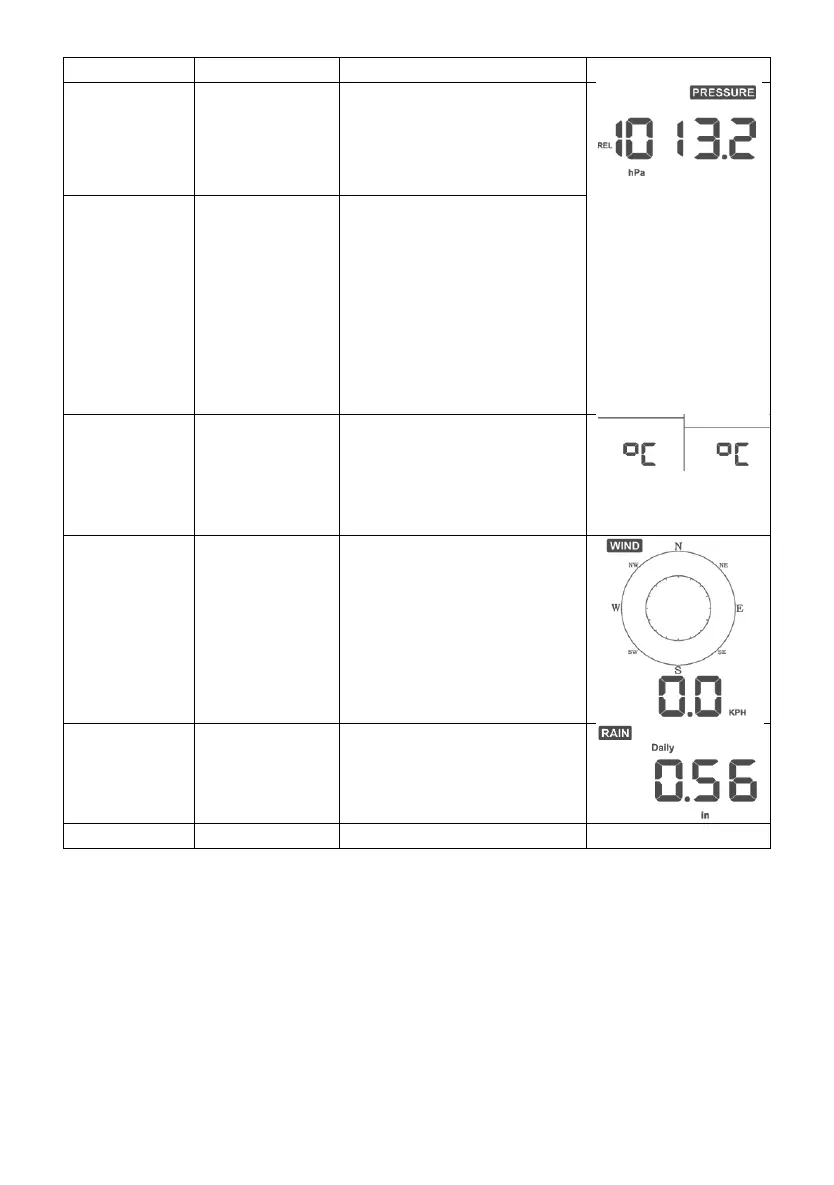
Command
Mode
Settings
Image
[MODE]
Pressure Units
of Measure
Press [TEMP +] or
[WIND -] to change units
of measure between hap,
mmHg or inHg.
[MODE]
Relative
Pressure
Calibration
Press [TEMP +] or
[WIND -] to adjust
relative pressure up or
down
Reference Section
5.4.3for details on
calibration of relative
pressure.
[MODE]
Temperature
Units of
Measure
Press [TEMP +] or
[WIND -] to change
temperature units of
measure between °F
and °C.
[MODE]
Wind Units of
Measure
Press [TEMP +] or
[WIND -] to change wind
units of measure between
km/h, mph, knots, m/s and
bft.
[MODE]
Rain Units of
Measure
Press [TEMP +] or
[WIND -] to change rain
units of measure between
in and mm.
[MODE]
Exit Set Mode
[MODE] + 2 seconds means to press and hold the MODE button for two
seconds.
[MODE] means to press the MODE button.
Table 8: Set mode sequence and commands summarization
5.4 Barometric Pressure Display
5.4.1 Viewing Absolute vs. Relative Pressure
Press and hold [RAIN/PRE] for two seconds switch between Rain and
Pressure. While in Pressure mode Press [RAIN/PRE] to switch between
absolute and relative pressure

Related product manuals