EasyManua.ls Logo

Alecto WS5200 - Page 63

Alecto WS5200
Print Icon
To Next Page IconTo Next Page
To Previous Page IconTo Previous Page
Loading...
63
Command
Mode
Settings
Image
[MODE] +
2 seconds
Enter Set
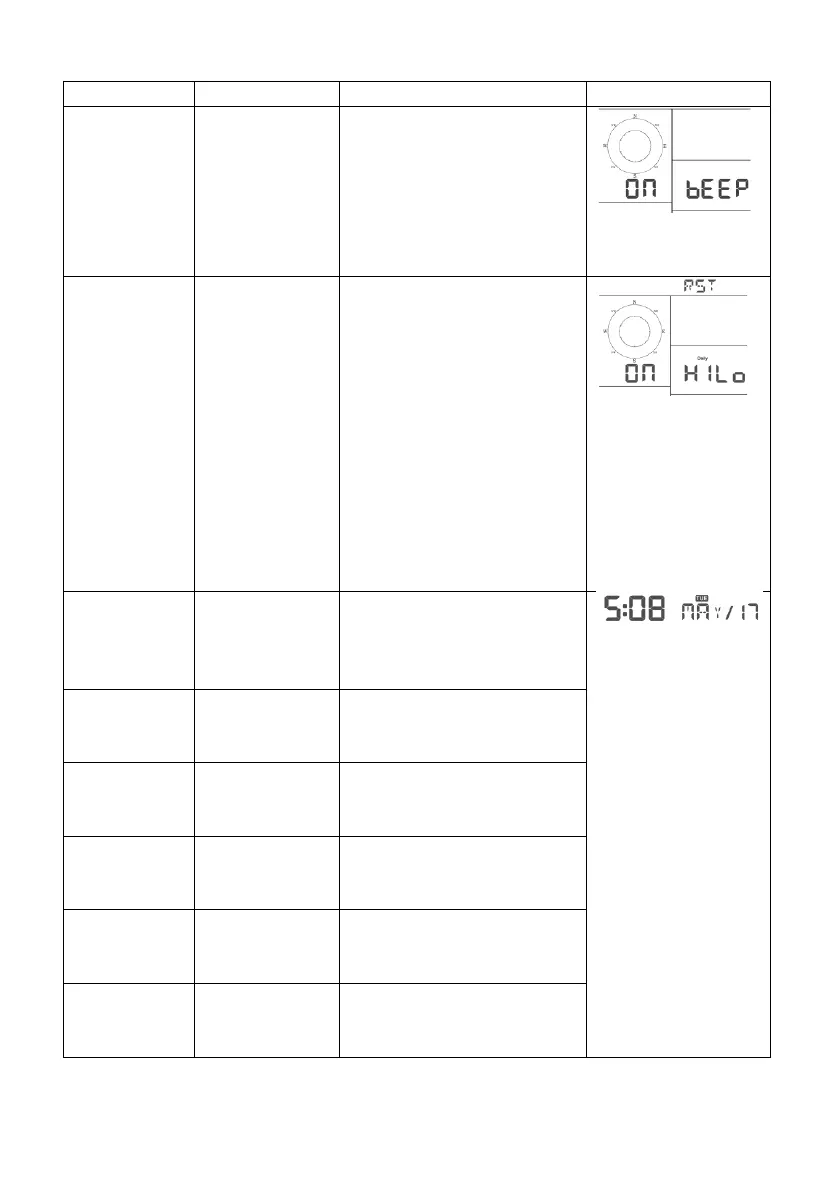
Mode, Beep
On or Off
Press [TEMP +] or
[WIND -] to switch OFF
and ON.
This will prevent the beep
from sounding when
pressing any button.
[MODE]
Clear
Max/Min
Press [TEMP +] or
[WIND -] to switch OFF
and ON.
When set to ON, the
minimum and maximum
values reset every day at
midnight (00:00).
When set to OFF, the
minimum and maximum
values must be reset
manually.
[MODE]
12 hour / 24
Hour Format
Press [TEMP +] or
[WIND -] to switch hour
format between 12 hour
and 24-hour format.
[MODE]
Hour
Press [TEMP +] or
[WIND -] to adjust hour
up or down.
[MODE]
Minute
Press [TEMP +] or
[WIND -] to adjust minute
up or down.
[MODE]
Year
Press [TEMP +] or
[WIND -] to adjust year
up or down
[MODE]
Month
Press [TEMP +] or
[WIND -] to adjust month
up or down
[MODE]
Day
Press [TEMP +] or
[WIND -] to adjust day up
or down

Related product manuals