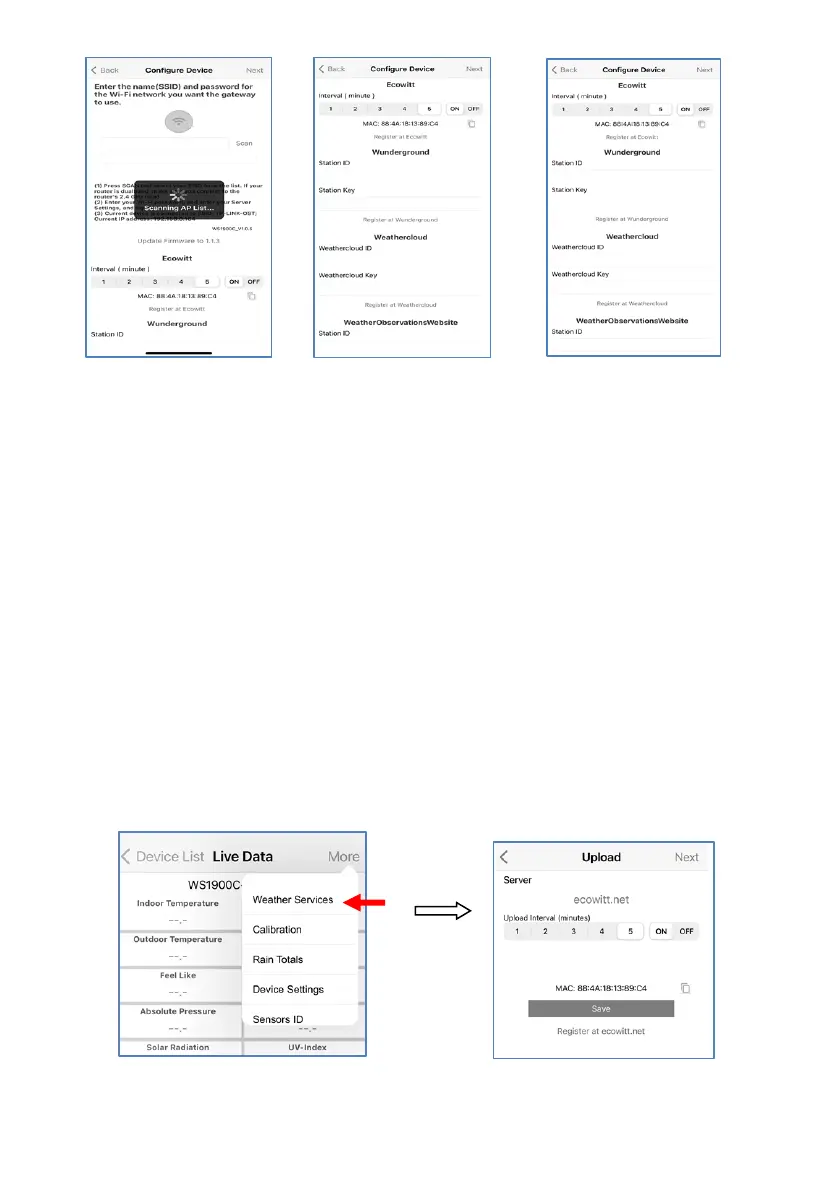
*Note: After step 7) you can set the uploading to weather servers (Ecowitt Weather
/ Weather Underground / Weather Cloud / WOW / Customized Website) on this
page or do that after the Wi-Fi configuration done.
If you configured weather services after the Wi-Fi configuration done, select your
device from the device list. This will bring you to the “Live Data” screen.
On the “Live Data” screen, press the “More” button in the upper right and select
“Weather Services” from the menu. This will bring you to the “Upload” screen for
the device.


 To Next Page