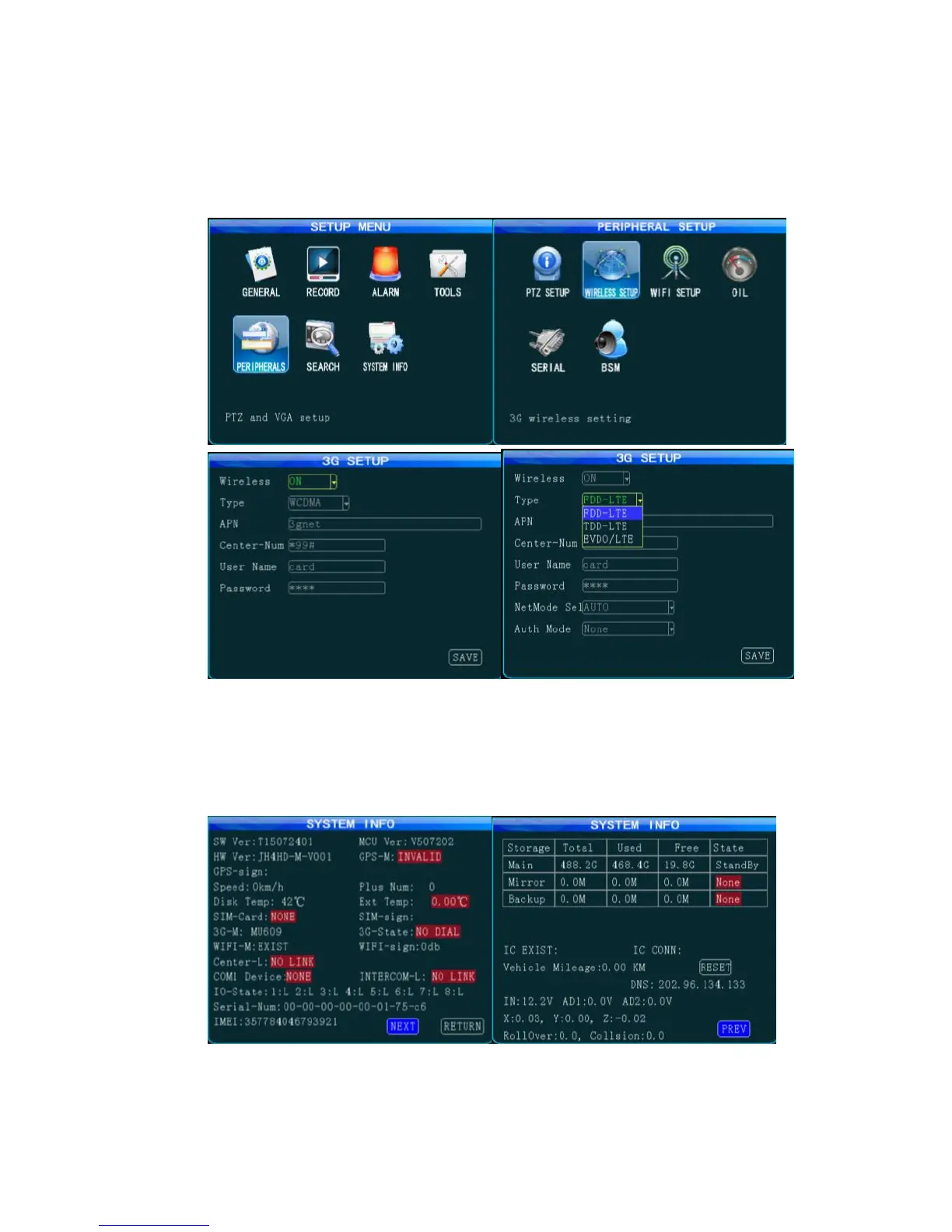
software). Fill in the access point name (APN), center number, user name and password provided
by your operator; select the network type. For Chinese operators, select AUTO. For international
subscribers, fill in the information provided by your local mobile operator.
Figure 6 Wireless Setup Interface
4. On the monitoring screen, press the "INFO" key on the remote control to check the connection
status and ensure that connected devices such as 3G/4G, GPS and WiFi work normally, and that
the vehicle device is successfully connected to the server center.
Figure 7 System Information Query Interface
车 After MDVR settings are completed, you can go to the server to add the related vehicle



 To Next Page