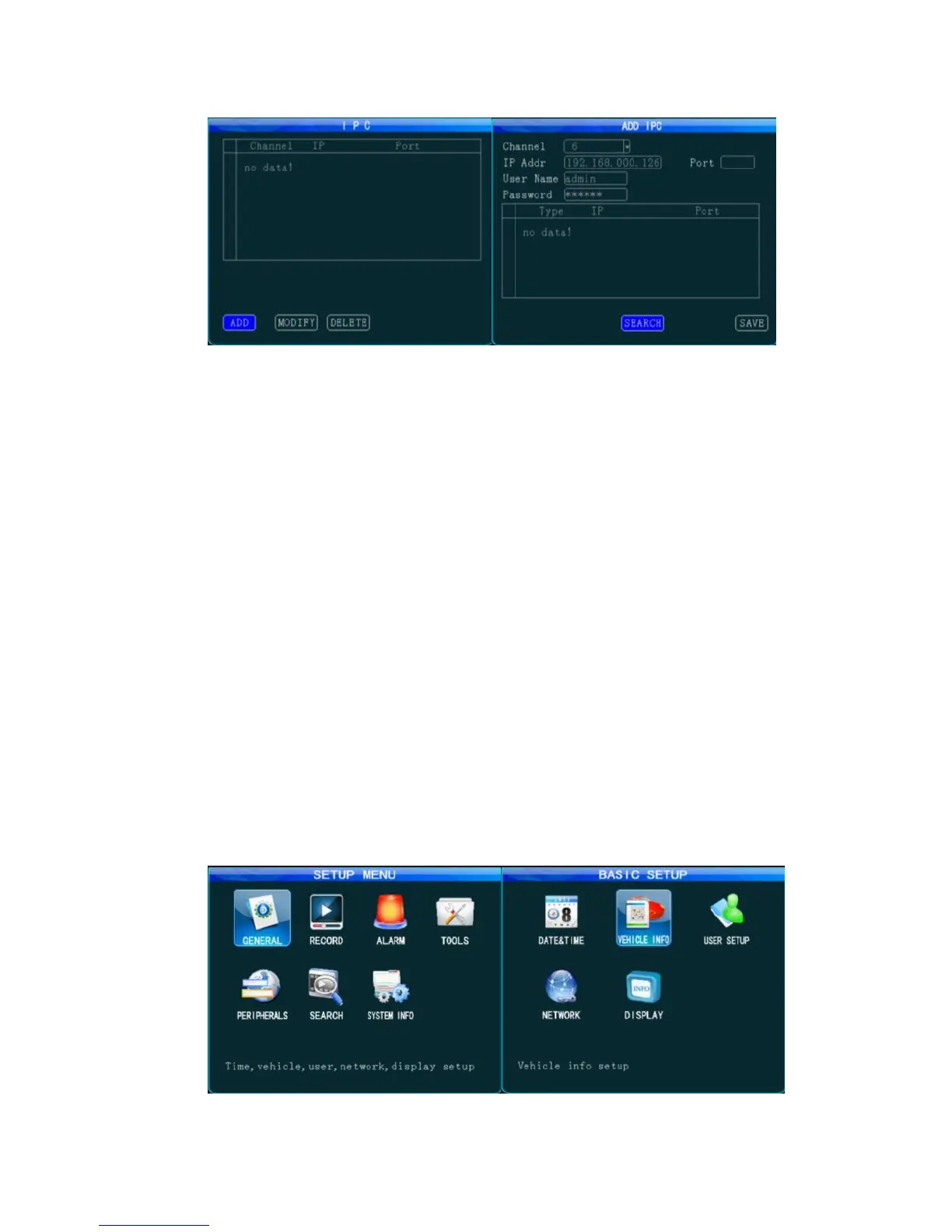
Figure 3 AL3000 HD Setting Interface
When adding a camera, select the related channel and you can manually input the IP address
and port number of the IP camera, or click "Search" to select the desired IP camera in the search
result. The user name and password are set for the IP camera. For a IP camera with security
feature, the setting shall be the same as that for the IP camera itself; or this setting can be ignored.
Use remote control to move to the letter you want, press "Enter" to confirm your selection and
press "Return" to return and complete your input.
5. Online Setting
When uploading your device to the server via 3G/4G network, you shall set the device
number, vehicle number, server IP and the wireless network before you can remotely manage it
via remote CMS/IVMS client.
1. Press the "LOGIN" key on the remote control, and input the initial password 888888. From the
Setup menu → General →Vehicle Info, complete the device number and related vehicle number.
Other information can be filled in as necessary. Only when the mileage statistic is enabled can
you count the mileage in the server client;



 To Next Page