Notice ,when connect 4channel 720P AHD cameras or 4*960H+1*1080P IPC camera ,need to
use High speed SD card(4K card,speed more than 80M/S)
4.2 Software Setting
After connecting the camera according to above connection
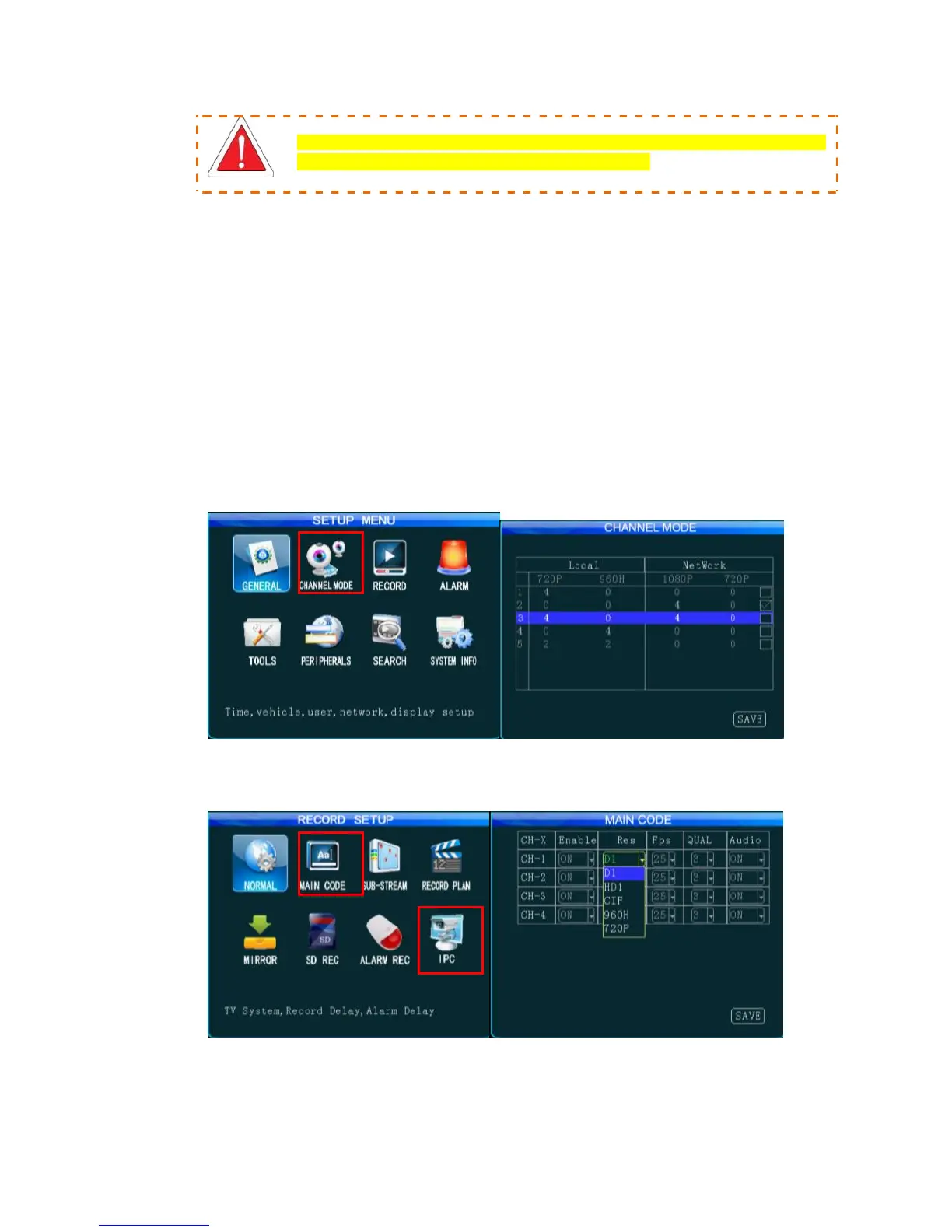
methods, from the Setup menu → Channel Mode interface, select
the desired connection mode and save it and the system will
automatically restart. Then, from the Setup menu → Record Setup
→ Main Stream and IPC setting, where you can set video resolution,
frame rate, picture quality, audio recording and IP address for each
channel (Following figures show JH4-HYBRID setting interface.
Settings for the 8 channelsMDVR are similar).
After Channel Mode is selected, the MDVR will automatically restart and enter the related setting
interface. IPC setting is not available if only an analog camera is connected.



 To Next Page