4. Video Input Mode Setting
This product is a hybrid HD vehicle MDVR allowing connection with various types of
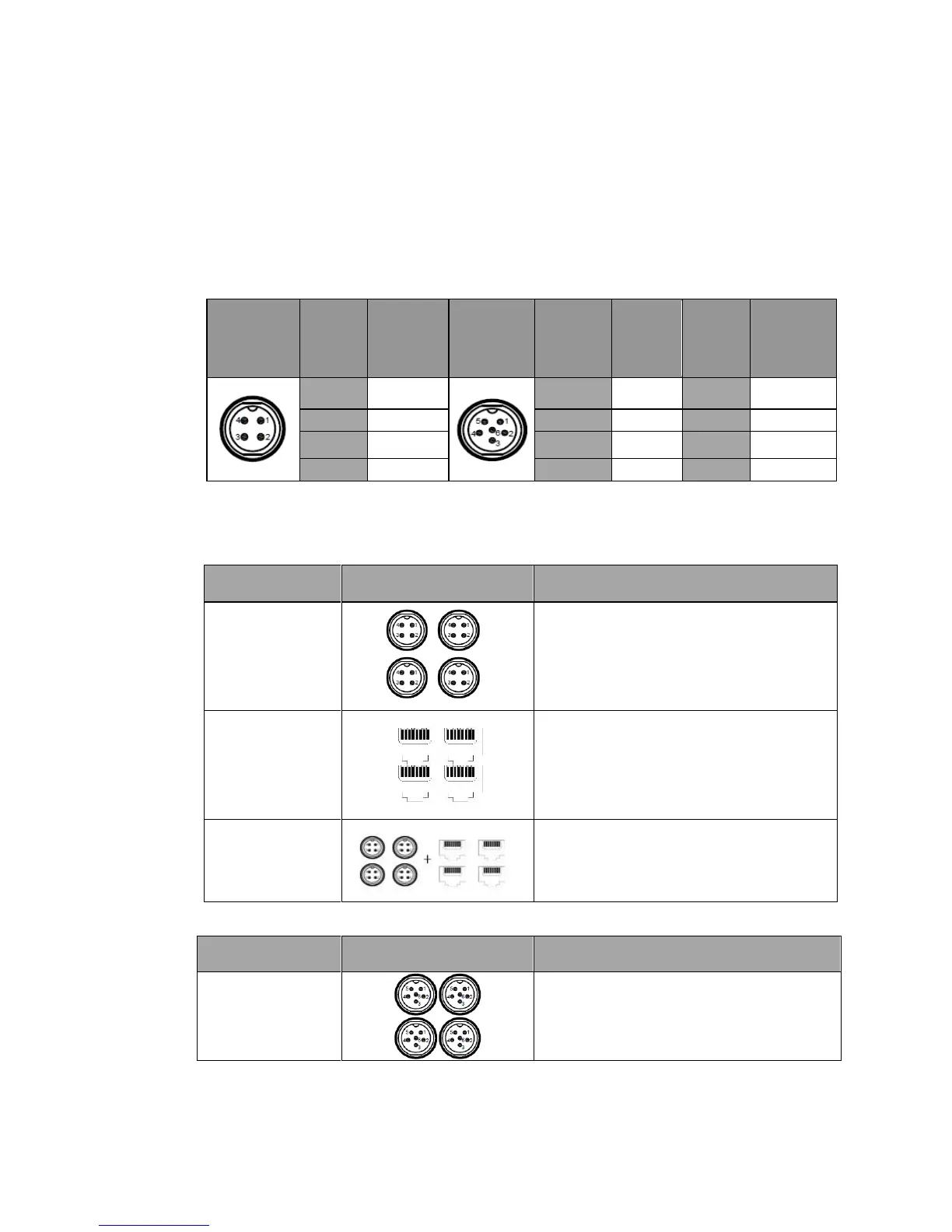
cameras. Table 1 shows portdefinitions of analog cameras. The IP camera port is standard port. A
user shall select camera type according to hardware connection port and configure proper
settingsin the software.
Table 1 Air Interface Definition
4.1 Camera Connection Mode
Connection of
analog camera
4channels of D1/960H/720P AHD video
inputs
2 channels of 720p AHD(1&2 CH)
+2*960H (3&4 CH)analog hybrid video
inputs
4 channels of 720P/1080P IPC video inputs
Hybridconnection
of analog and IP
camera
4 channels of IPC+4*720PAHD/960H/D1
HD hybrid video inputs
Table 2 AL200-HYBRID Connection Mode
Connection of
analog camera
8 channels of CIF/ D1/960H analog video
inputs



 To Next Page