www.aleratec.com
3
Introduction
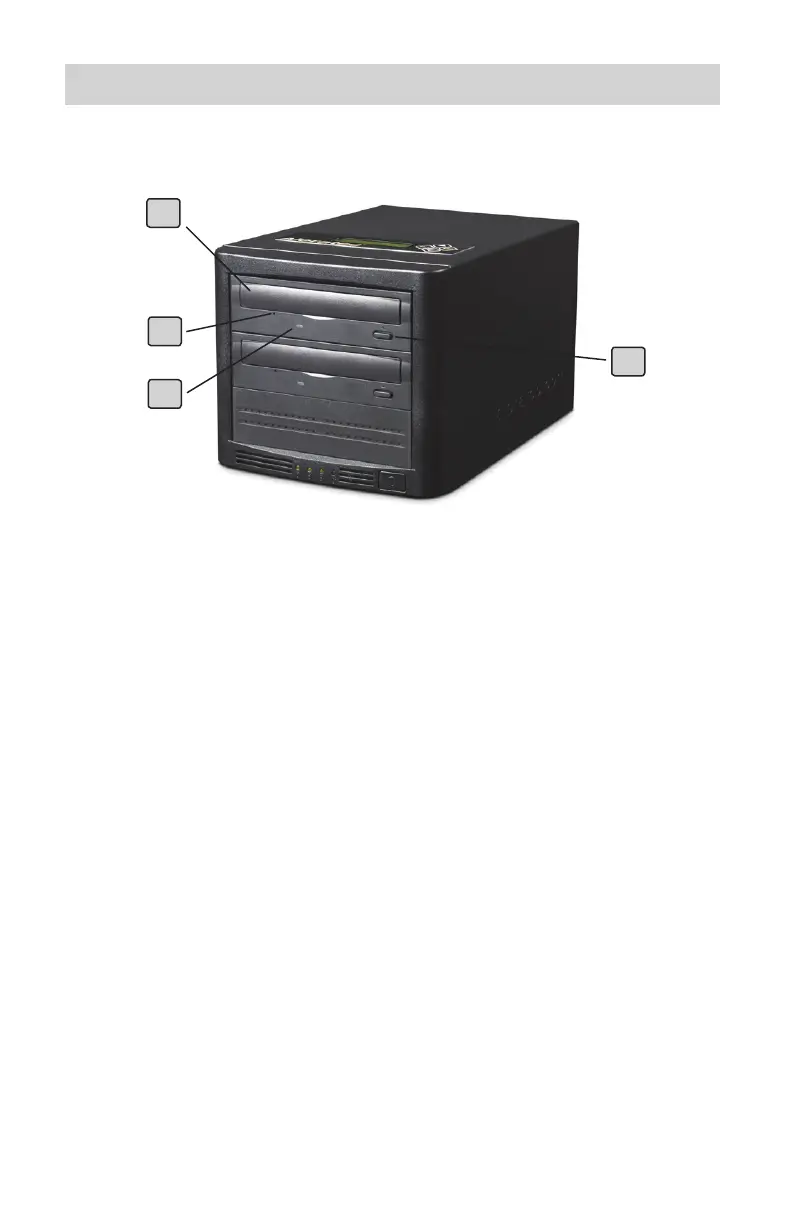
Front Panel
1 Disc Tray
This tray is for loading the disc. It will accept 120 mm and 80 mm discs.
Please place the disc in the exact center of the tray.
2 Emergency Eject Pinhole
In the event of loss of power or failure to open the tray by pressing the
Eject button, insert the straightened end of a large paper clip or similar rigid
object into the Emergency Eject hole to open the tray.
3 Drive LEDs
This indicator lights up when data is being accessed or when data is being
recorded on a disc.
4 Eject Button
This button is used to open or close the tray.
Note: Part Numbers 260155 and 260156 – DVD/CD-ROM Drive (Top) and DVD/
CD-Recorder (Bottom).
Note: Part Number 260157 – top drive in is a second DVD/CD Recorder.
2
3
4
1



 To Next Page