EasyManua.ls Logo

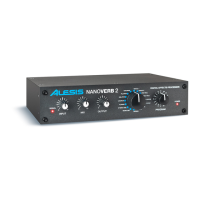
Alesis NANOVERB 2 - User Manual

Alesis NANOVERB 2
24 pages
Print Icon
To Next Page IconTo Next Page
Loading...
NANOVERB 2
QUICKSTART GUIDE
ENGLISH (3 - 6)
GUÍA DE INICIO RÁPIDO
ESPAÑOL (7 - 10)
GUIDE D'UTILISATION RAPIDE
FRANÇAIS (11 - 14)
GUIDA RAPIDA
ITALIANO (15 - 18)
KURZANLEITUNG
DEUTSCH (19 – 22)

Questions and Answers

  • R
    Robert PrattAug 2, 2025
    What to do if no audio is heard from my Alesis Recording Equipment?
    • G
      garzaedgarAug 2, 2025
      If you're not hearing any audio, there could be a couple of reasons: * If the Bypass function is on and the Mix is turned 100% wet, try turning the Mix control to the left or press the Bypass footswitch. * Alternatively, the Output level might be too low. In this case, turn the Output control to the right.
  • B
    Bianca CaseyAug 7, 2025
    Why is the sound distorted on my Alesis Recording Equipment and the signal LED is red?
    • J
      Joseph VaughnAug 7, 2025
      The sound distortion and red signal LED indicate that the input level is too high. To resolve this, simply turn down the Input Level control.
  • A
    angelagambleAug 12, 2025
    How to fix excessively noisy sound from Alesis Recording Equipment?
    • E
      Elizabeth ThompsonAug 12, 2025
      If the sound is excessively noisy, the input level might be too low. Try turning up the Input Level control to increase the signal strength.
  • J
    Jeffery PearsonAug 17, 2025
    How to eliminate hum or noise from the output of my Alesis Recording Equipment?
    • D
      Donna GarnerAug 17, 2025
      Hum or noise from the output is often due to a ground loop or unshielded cables. A possible solution is to try plugging the unit into another power outlet or use different audio cables.
  • J
    Julia ClarkAug 22, 2025
    What to do if the power LED does not light on my Alesis Recording Equipment?
    • S
      Spencer WatersAug 22, 2025
      If the power LED doesn't light up when you power on the unit, it indicates a power issue. Check that the power cable is plugged in properly.
  • D
    Debra MorrisAug 27, 2025
    What to do if the green input LED is barely lit on my Alesis Recording Equipment?
    • D
      David AndersonAug 27, 2025
      If the green 'Input' LED is barely lit, it could be because the output level is too low and the Aux Return on the mixer is up full. To fix this, turn the Output up and reduce the Aux Return level on the mixer.

Summary

Quickstart Guide English

Initial Setup and Safety

Essential steps before operation, including checks, safety, and placement.

Front Panel Overview

Detailed explanation of the NANOVERB 2's front panel controls and indicators.

Rear Panel Connectivity

Information on rear panel connectors for power, input, output, and footswitch.

Powering Up and Setup

Powering Up Procedure

Step-by-step guide to safely power on the NANOVERB 2 and connected devices.

Typical Applications and Connections

Common usage scenarios and recommended audio cable configurations.

Setting Mixer Aux Send;Return Levels

Guide to adjusting mixer send and return levels for optimal effect integration.

Effects Presets

Troubleshooting Guide

Technical Specifications

Alesis NANOVERB 2 Specifications

General IconGeneral
BrandAlesis
ModelNANOVERB 2
CategoryRecording Equipment
LanguageEnglish

Related product manuals