6
Basic Functions
Editing and Saving Drum Kits
Important:
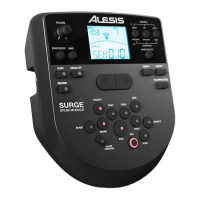
• To edit and save your kits, you must be in Normal Mode. If the LED above the
Song/Pattern button is not lit, press and hold Page/Select until it is.
• Remember to save your kits after you have entered the settings you want!
First, press Kit until NUM appears in the display. Use the < and > buttons to select your
desired kit. Once you've selected your kit, you can edit its settings:
To adjust the kit settings:
1. Press Kit, then press Page/Select until the desired setting appears in the display:
• VOL: Kit volume
• REV*: Kit reverb
• EQH*: Equalization, high frequencies
• EQM*: Equalization, mid frequencies
• EQL*: Equalization, low frequencies
2. Use the < and > buttons to adjust the value.
* The reverb and equalization affect the sound of the kit, song, and the output of a connected MIDI device
when that kit is selected.
To adjust the pad settings:
1. Hit the pad whose settings you want to adjust, or press its corresponding Pad Select button.
2. Press Voice, then press Page/Select until the desired setting appears in the display:
• NUM / H-C**: Pad voice (drum sound)
• VOL: Pad volume
• PAN: Pad panning
• PIT: Pad pitch
• REV: Pad reverb
• MID: MIDI note. See the Appendix for a list of the default MIDI note numbers for
each pad.
• P-S: Pad song switch (selects whether or not a song will play when that pad is struck)
• P-N***: Pad song number (selects which song will play when that pad is struck, if P-
S is set to ON)
3. Use the < and > buttons to adjust the value.
** If the selected pad is the Hi-Hat, you can choose one of the combinations of open and closed hi-hat
sounds (H-C, 001-007).
*** Songs 61-80 are pitched, nondrum samples (e.g., bass, piano, vibraphone, etc.) rather than actual songs,
so they're ideal for assigning to a pad, when selecting the "pad song number." They will change pitch with
each hit. Songs 1-60 are actual songs
To save your settings:
1. Press Save.
2. Use the < and > buttons to select the User Kit slot you want to save it to (25-40).
3. Press Save again.


 To Next Page