17
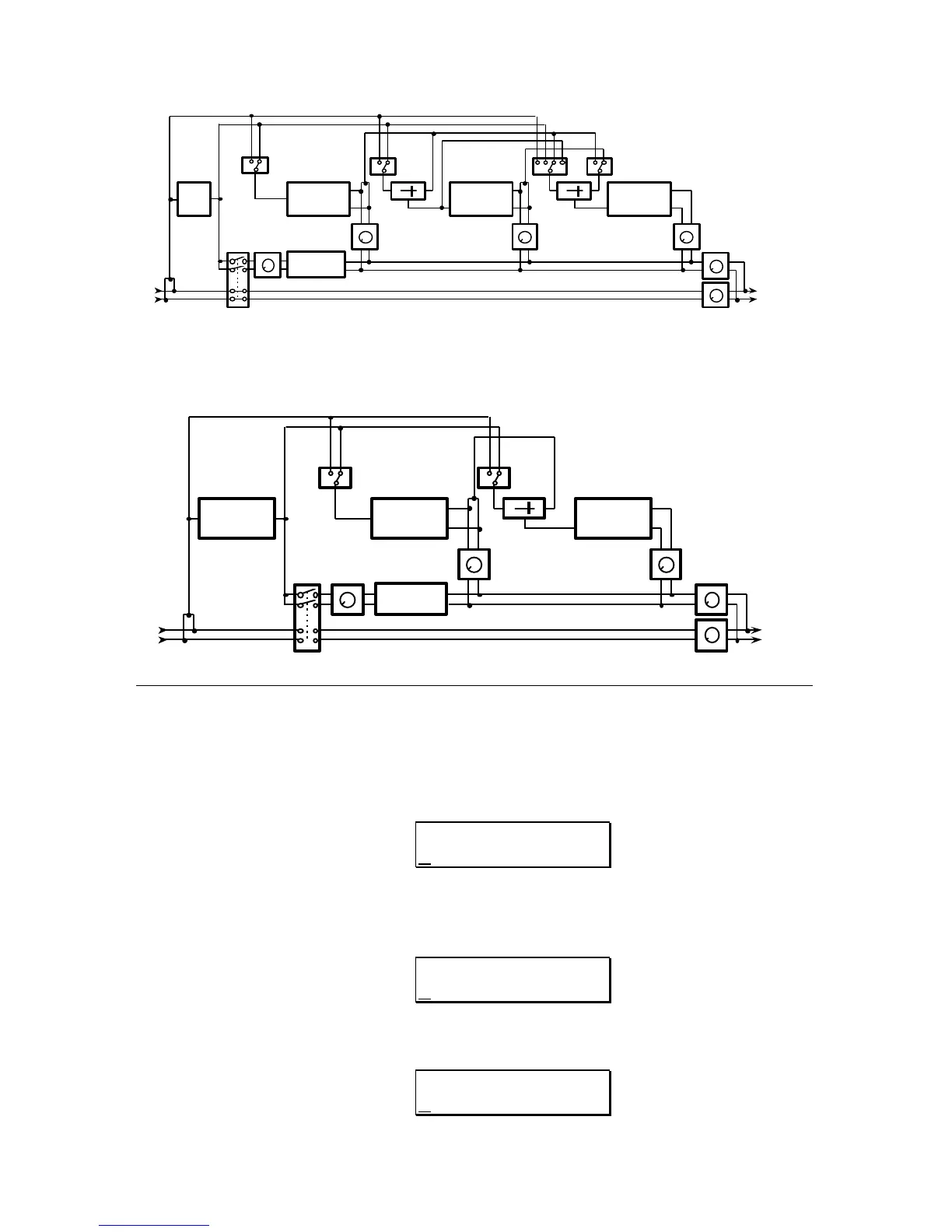
EQ PITCH DELAY REVERB
MIX MIX
1 2 1 2
EQ OUTPUT
PITCH OUTPUT DELAY OUTPUT REVERB OUTPUT
EFFECTS OUTPUT
DIRECT OUTPUT
DIRECT PRE/POST EQ
L
R
L
R
PANNING/
TREMOLO
FIGURE 6
5 BAND EQ->PITCH->DELAY BLOCK DIAGRAM
5 BAND EQ PITCH DELAY
MIX
1 2
EQ OUTPUT
PITCH OUTPUT DELAY OUTPUT
EFFECTS OUTPUT
DIRECT OUTPUTDIRECT PRE/POST EQ
L
R
L
R
PANNING/
TREMOLO
EDITING THE PANNING OR TREMOLO
PARAMETERS
1) To access the Auto Panning parameters, press the
MIX button. The display
will then read:
DIRECT SIGNAL:
PRE-EQ
2) Press the "Up" VALUE button until the next page reads:
DIRECT SIGNAL:
POST-EQ PANNING
or
DIRECT SIGNAL:
POST-EQ TREMOLO



 To Next Page