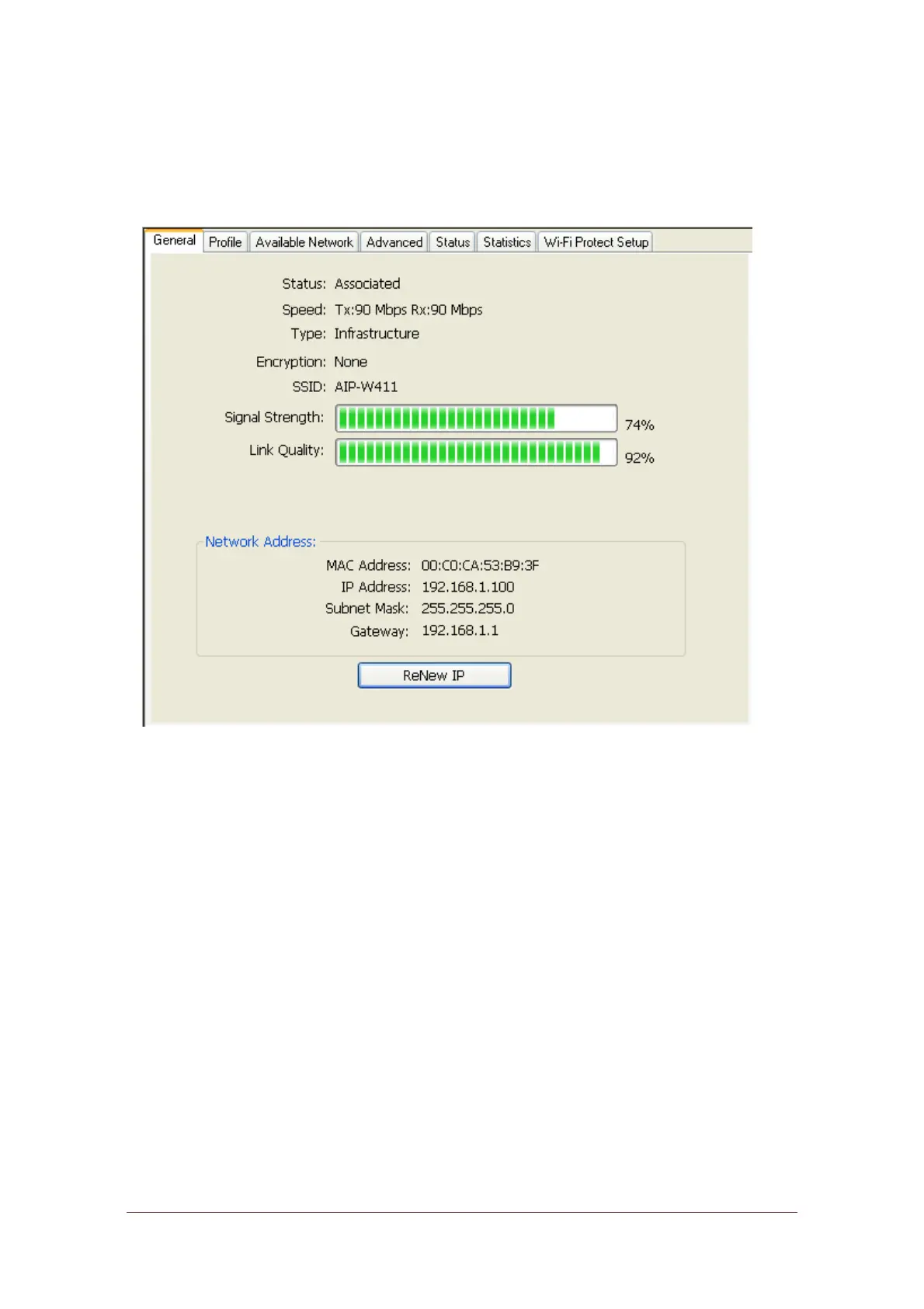
General
After starting the utility, the general page pops up This General tab and provide
the information of your current wireless network connection. You may click the
Renew button to refresh those listed information.
Status:
Check if the device associated to target network.
Speed:
The current connection speed
Type:
Infrastructure mode or Ad-Hoc mode.
Encryption:
The performing encryption mode for connecting to current
network profile.
SSID:
The SSID (network name) of the connected wireless network.
Signal Strength:
Indicates the signal strength detected by this adapter.
Network Address: Shows the current IP addresses settings for this adapter.



 To Next Page