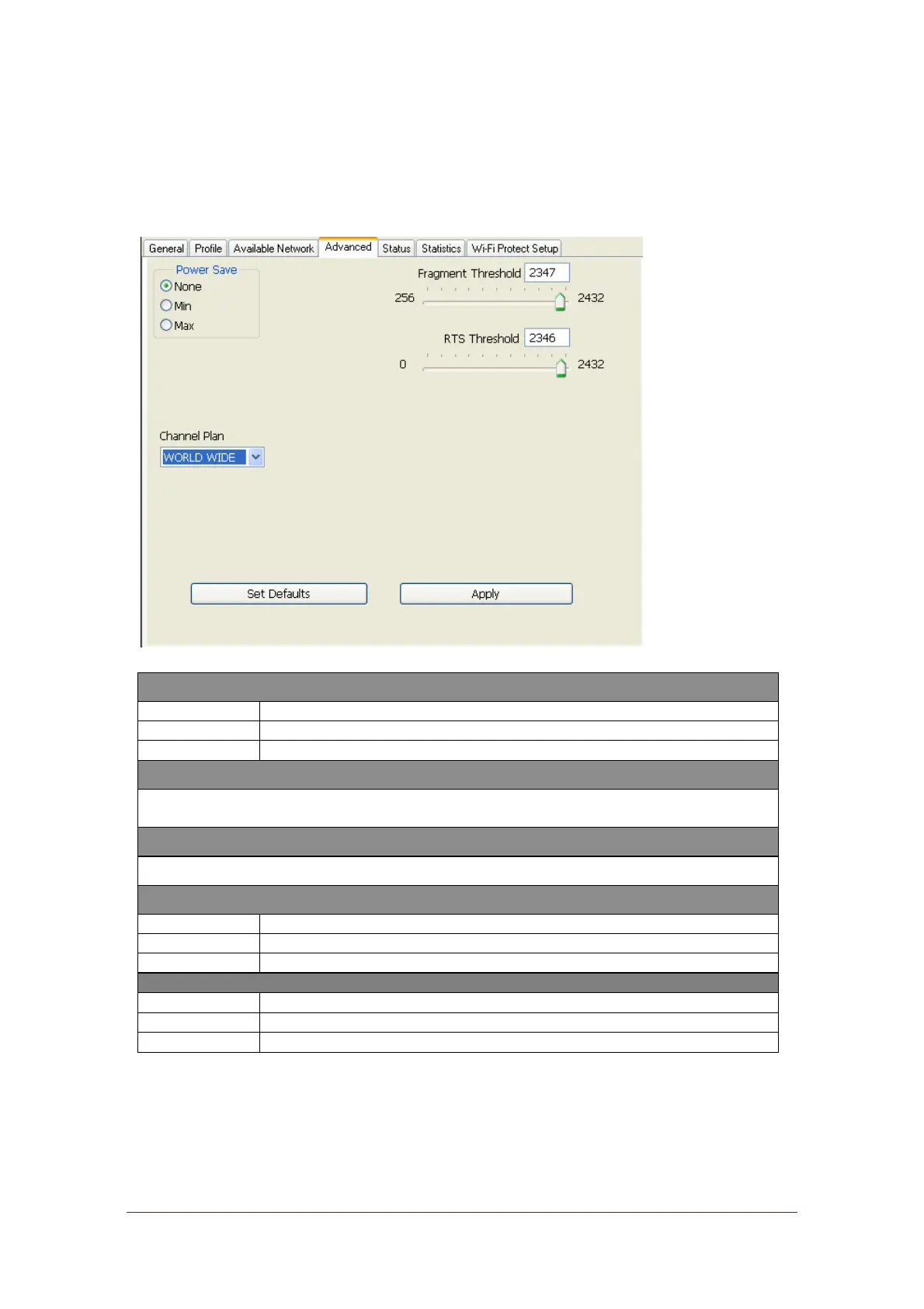
Advanced
This Advanced tab provides advanced configurati ons to this adapter. Every
modification in this tab will be performed after clicking the Apply button.
To restore the default settings of the advanced tab, click the Set defaults button to
perform restoring.
Disable Power saving function.
Minimum power consumption
Maximum power consumption
The maximum size of a packet that is going to be segmented and transmitted.
Select the size from 256 to 2432(default) bytes.
Select the RTS Threshold form 0 to 2432(default)
Connect to a 802.11g/b network (2.4GHz/54Mbps)
Connect to a 802.11b network (2.4GHz/11Mbps)
Connect to a 802.11b/g/n network (2.4GHz/150Mbps)
For European counties (CH1 ~ CH13)
(default value) CH1 ~ CH11



 To Next Page