◆ Security Mode — Specifies the security mode for the SSID. Select the security
method and then configure the required parameters. (Options: Disabled,
Open, Shared, WEP-AUTO, WPA-PSK, WPA2-PSK, WPA-PSK_WPA2-PSK, WPA,
WPA2, WPA1_WPA2, 802.1X; Default: Disabled
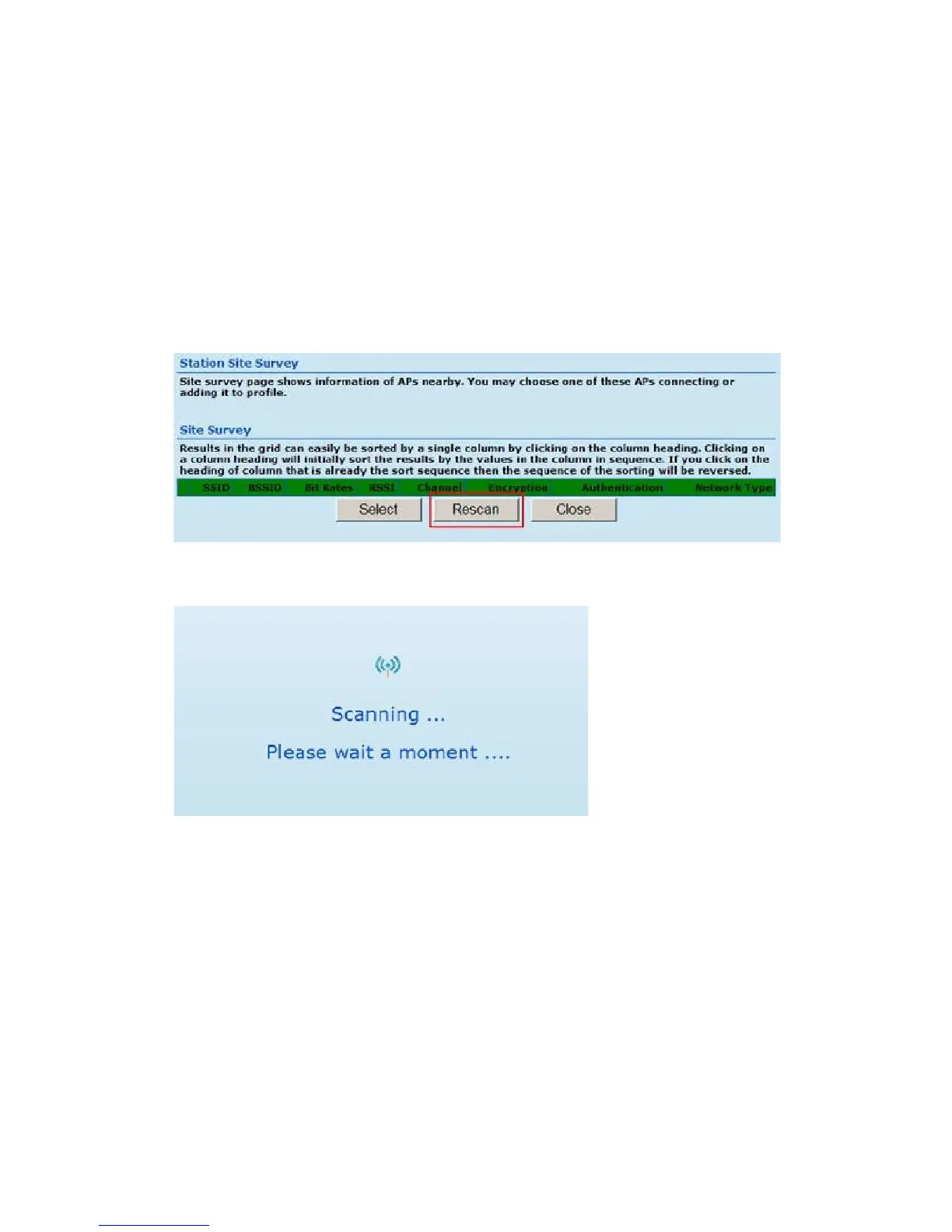
Click Site Survey to scan available network that you need to connect to it .
Click Rescan on the pop up screen to scan available network that you need
to connect to it.
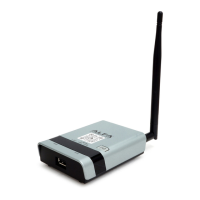
Scanning for available wifi network.
Click on the SSID that you attempt to connect to it; VAP is the SSID that we are
going to connect in this example. Click Close when finished.
13


 To Next Page