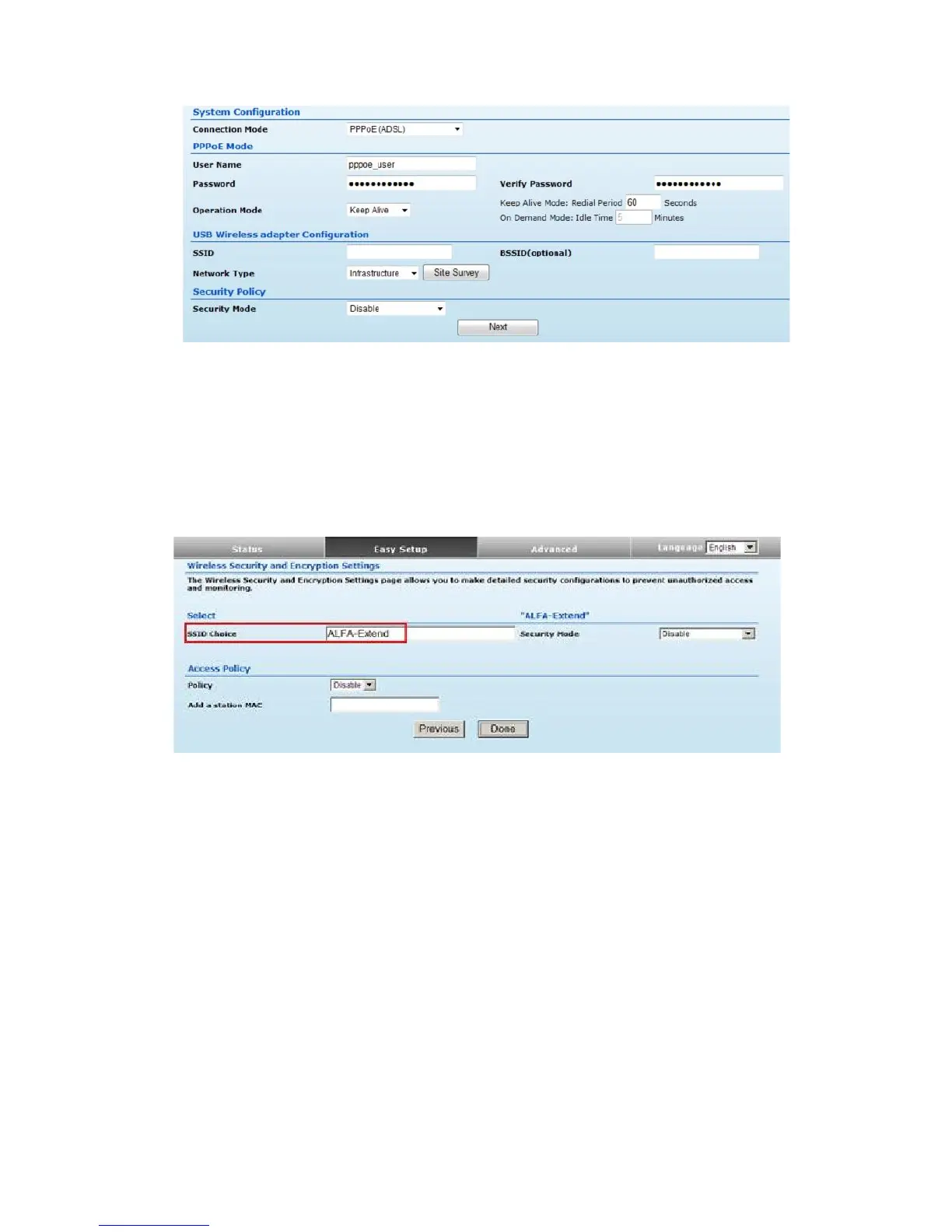
◆ User Name — Sets the PPPoE user name for the WAN port.
(Default: pppoe_user; Range: 1~32 characters)
◆ Password — Sets a PPPoE password for the WAN port.
(Default: pppoe_password; Range: 1~32 characters)
◆ Verify Password — Prompts you to re-enter your chosen password.
◆ Operation Mode — Enables and configures the keep alive time and configures
the on-demand idle time.
Option #2 - WAN
SETTINGS - 3G Dongle
Enables support for a USB 3G modem as a WAN connection by selecting 3G dongle
from the Easy Setup page
21


 To Next Page