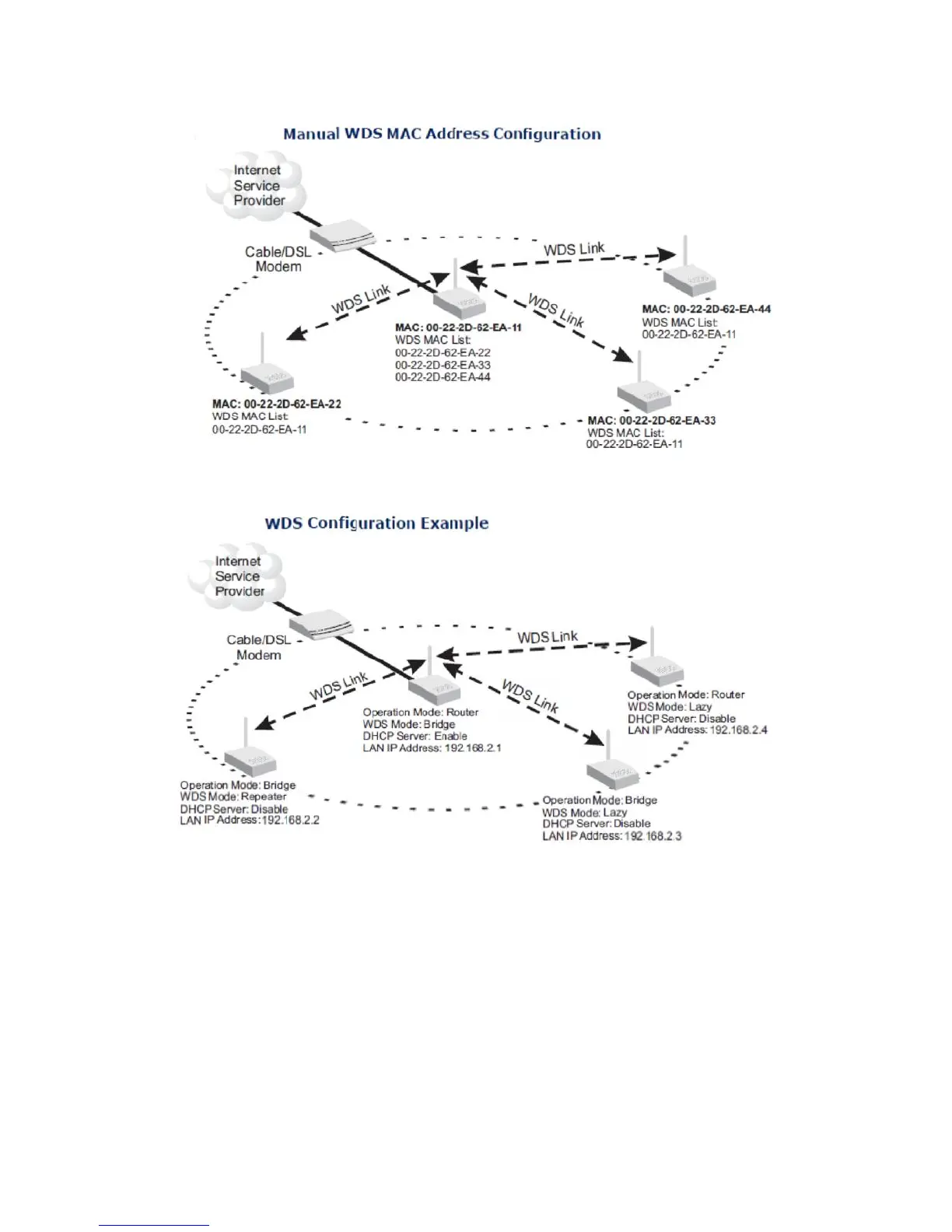
A WDS link between two units can be configured in any of the
following Operation Mode combinations:
1. Both units in a link are configured as Router Mode.
2. One unit in a link is configured in Router Mode and the other in Bridge Mode.
3. Both units in a link are configured as Bridge Mode.
When two or more units in the WDS network are set to Router Mode, be sure
to check these settings:
◆ Be sure each unit is configured with a different LAN IP address.
◆ Be sure that only one unit has an Internet access on its WAN port.
46


 To Next Page