16
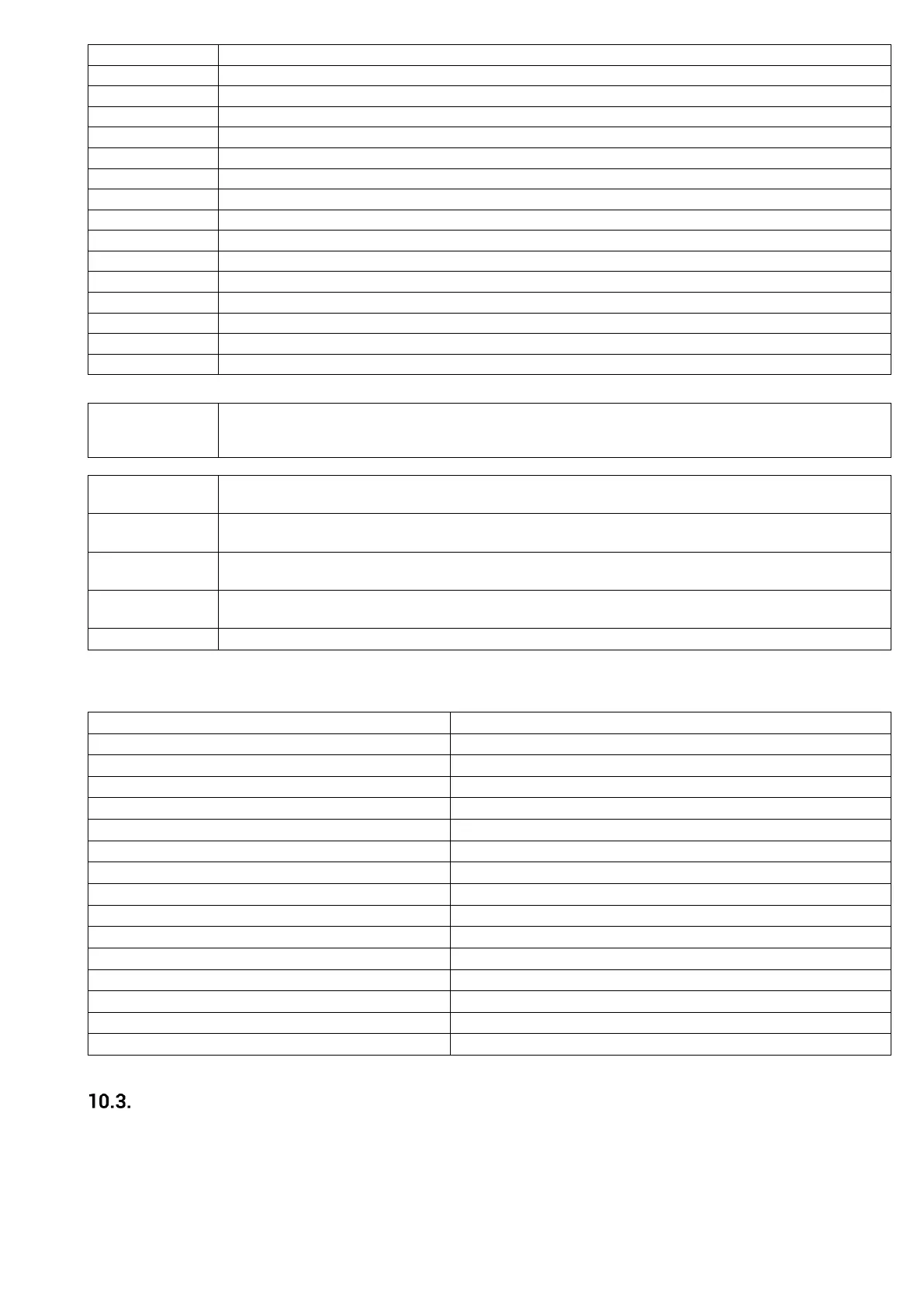
Encoder error. Inability to adjust the number of revolutions
Error due to internal clock problem
Turning off due to unsuccessful ignition
Power outage longer than 50 minutes
Communication error RS485
Air flow controller error
Air flow controller broke down
Minimum airflow in the CHECK UP phase has not achieved
Maximum air flow has been achieved
Auger encoder signal error
Error due to inability to adjust the number of revolutions of the auger motor
- Other messages:
If this message is shown in the Check Up Phase, it indicates that the temperature at one or more probes
is equal to the minimum value (0 ° C) or the maximum value (depends on the probe type). Ensure that
the probe is not open (0 ° C) or in short circuit (the maximum value on the temperature scale).
This message informs you that the planned number of hours has been reached and that it is necessary
to call the maintenance staff.
This message informs you that the planned working hours have been reached and that it is necessary to
clean the boiler .
This message occurs if the system shuts down while it is still in the ignition stage. The system will stop
only when it goes into the Run Mode.
This message informs you that there is no communication between the LCD display and the controller in
the boiler .
This message appears if the system is in Standby Mode after the P5 key has been pressed.
- Visualisations:
By pressing the P4 and P6 keys you enter the visualisation menu. In this menu you can see the values of some system
parameters.
Led number and state of the pump outlet
Led number and state of Aux 1 outlet
Led number and state of the outlet of the additional motor
Led number and state of Aux 2 outlet
Led number and state of Aux 3 outlet
Flue gases temperature (°C)
*Water pressure in the boiler (mbar)
Flow rate of primary air (cm/s)
Speed /voltage of flue gas motor (rpm/V)
Speed/voltage of auger motor (rpm/V)
Controller firmware version
* If the boiler configuration has no installed probes, these values are not visible.
Menu
The menu contains the User Menu and the Technical Menu.
The Technical Menu contains the settings and features by which the manufacturer can modify the parameters and
configuration of the system. The Technical Menu is not available to the user, but only to the authorized representative of the
manufacturer.
User Menu
By pressing P3 key, you get into the User Menu


 To Next Page