8180 SIP Audio Alerter (G2) FW 1.7
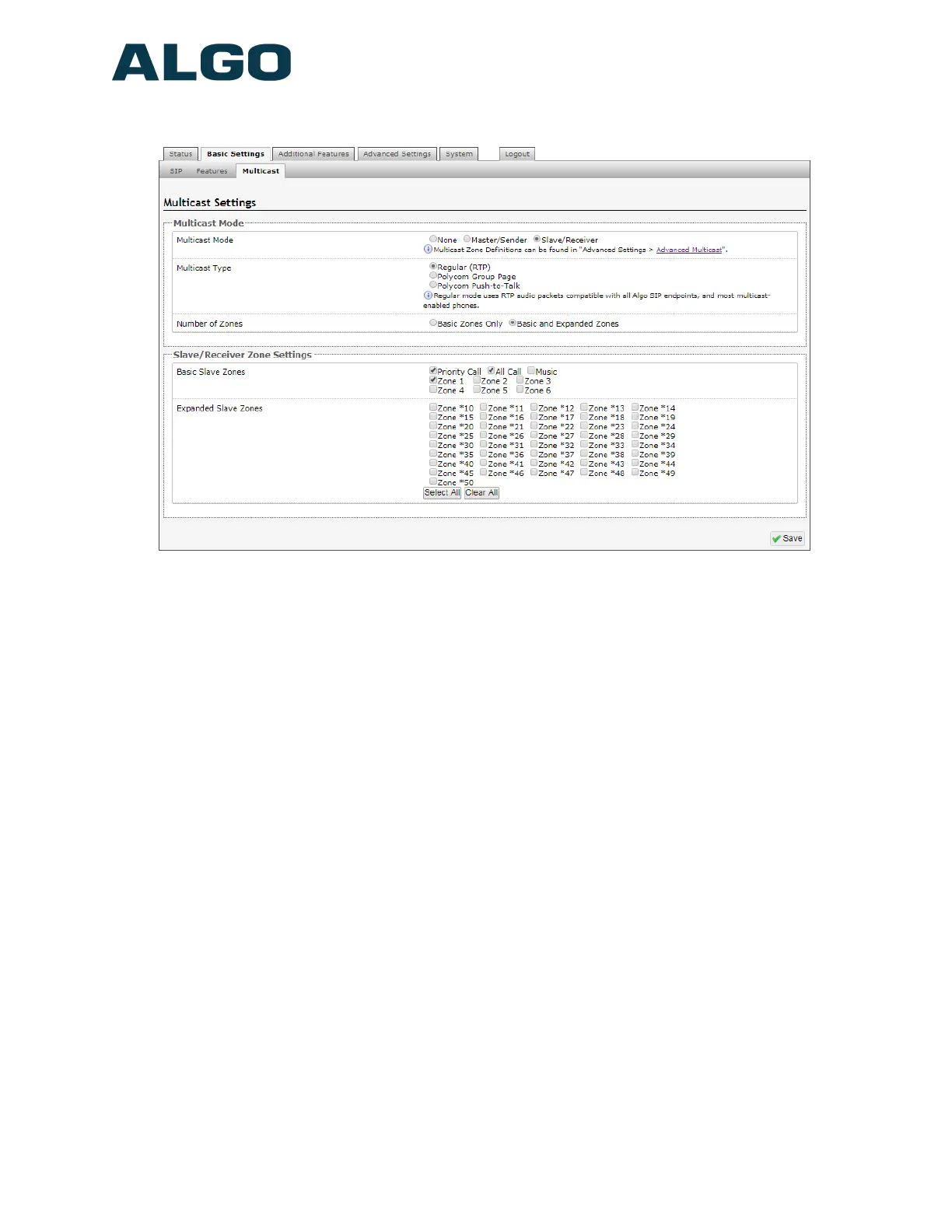
Basic Settings Tab – Multicast (Slave Settings)
Multicast Mode (Slave Selected)
If Slave is enabled the 8180 will activate when receiving a multicast message. Will mimic
audio stream, but use local volume settings (‘Page Speaker Volume’ in Basic Settings >
Features).
Number of Zones
Select ‘basic’ zones if configuring nine or fewer multicast zones or ‘expanded’ to configure
up to 50 zones. The expanded zones have the same behavior as the basic Slave zones,
but are hidden by default to simplify the interface.
Multicast Type - Regular
Select ‘Regular (RTP)’ if solely multicasting to Algo SIP endpoint(s) and/or multicast
enabled phone(s) that use RTP audio packets.
Multicast Type – Polycom Group Paging/Push-to-Talk
The 8180 SIP Audio Alerter (G2) may receive multicast paging compatible with Polycom
“on premise group paging” protocol.
To configure the 8180 as a slave to play Polycom page announcements, select “Group
Page” or “Push-to-Talk”. Then enter the Polycom Zone (IP Address and Port) that
matches the configuration of the Polycom phones and Channels. The “Default Channel” is
Document 90-00095A
01/24/2019
Page 30
Algo Communication Products Ltd
4500 Beedie St Burnaby BC Canada V5J 5L2
www.algosolutions.com
(604) 454-3792
support@algosolutions.com


 To Next Page