8180 SIP Audio Alerter (G2) FW 1.7
Advanced Settings Tab – Provisioning
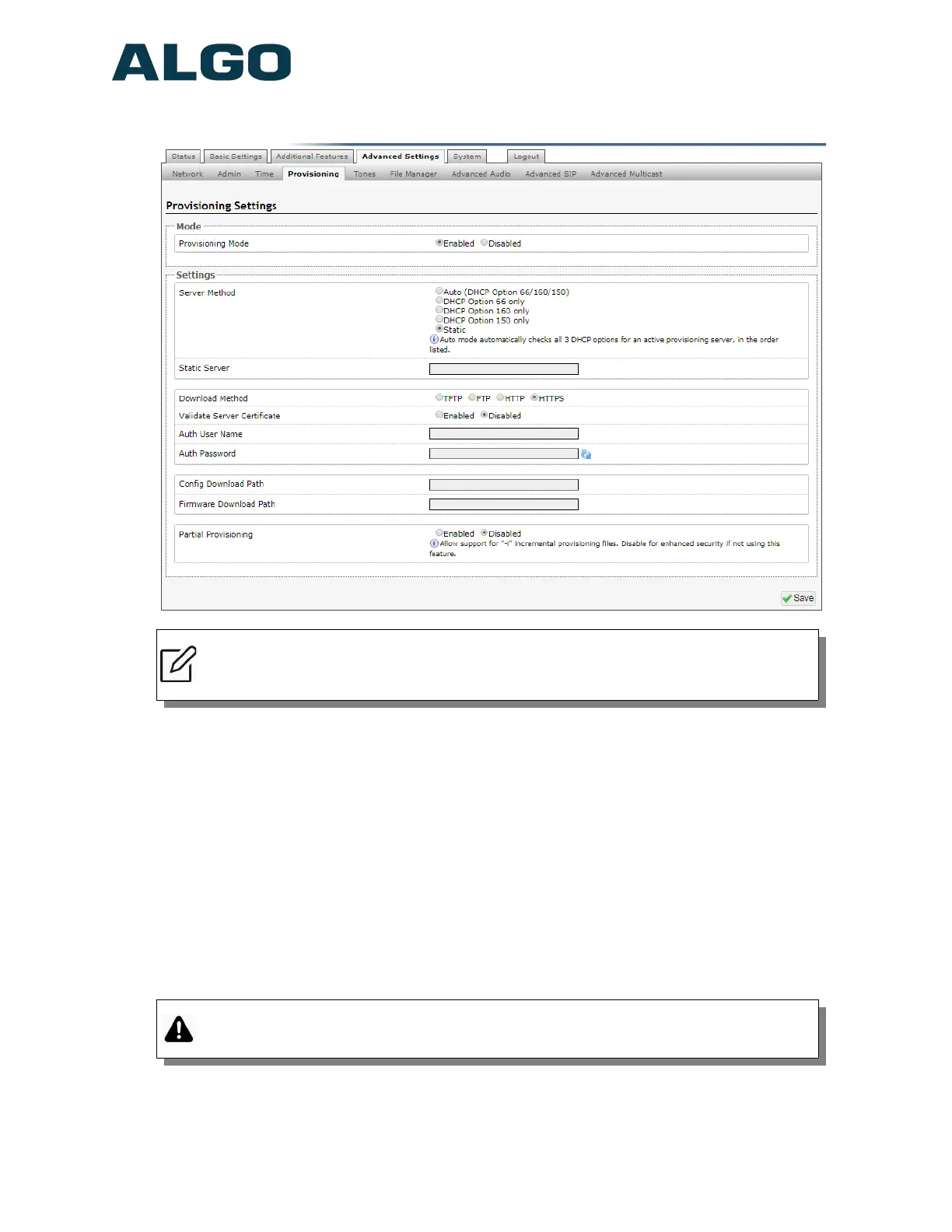
Note: It is recommended that Provisioning Mode be set to Disabled if this feature is
not in use. This will prevent unauthorized re-configuration of the device if DHCP is
used.
Provisioning allows installers to pre-configure 8180 SIP Audio Alerter (G2) units prior to
installation on a network. It is typically used for large deployments to save time and ensure
consistent setups.
The device can be provisioned via the Auto mode (where all three DHCP options (Option
66/160/150) will be automatically checked for an active provisioning server), just one of
the three specified DHCP options, or a Static Server. In addition, there are four different
ways to download provisioning files from a “Provisioning Server”: TFTP (Trivial File
Transfer Protocol), FTP, HTTP, or HTTPS.
For example, 8180 configuration files can be automatically downloaded from a TFTP
server using DHCP Option 66. This option code (when set) supplies a TFTP boot server
address to the DHCP client to boot from.
Important: DHCP must be enabled if using DHCP Option 66/160/150, in order for
Provisioning to work.
One of two files can be uploaded on the Provisioning Server (for access via TFTP, FTP,
HTTP, or HTTPS):
Document 90-00095A
01/24/2019
Page 47
Algo Communication Products Ltd
4500 Beedie St Burnaby BC Canada V5J 5L2
www.algosolutions.com
(604) 454-3792
support@algosolutions.com


 To Next Page