Pocket size soldering iron
User Manual www.alientek.com
5
T80&T80P Smart Soldering Iron User Manual
Temperature adjustment: click A or B to enter the temperature adjustment UI. And release
the button first, then click or long press to adjust the temperature. After the adjustment,
automatically return after 3 seconds.
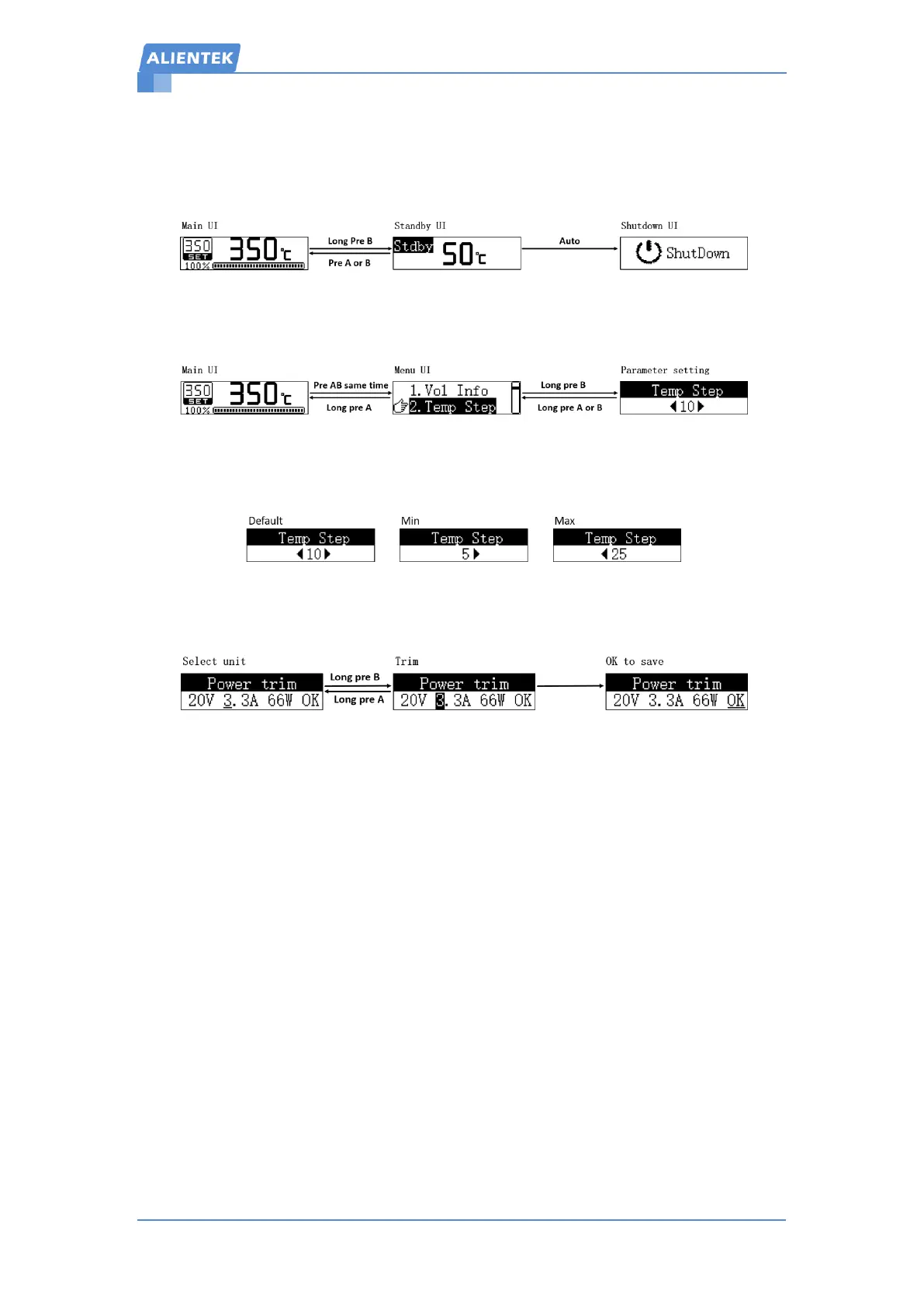
Manual shutdown: Long press B to enter the standby UI, and the temperature will drop to
50 degrees, and then the machine will shut down.
Menu operation: click A and B at the same time to enter the menu. Click A and B to slide
the menu, long press A to exit, long press B to enter the next menu.
Parameter setting: Click A and B to increase or decrease the parameter value, Long press B
to save the parameters and exit, long press A will not save the parameters.
Power trim: On the power tuning interface, Step 1: Click A or B to select unit (include the
unit\decade\OK). Step 2: Long press B to confirm selection and trim, long press A to deselect.
Step 3: Select OK and long press B to save and exit.


 To Next Page