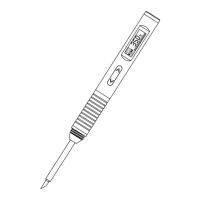
Pocket size soldering iron
User Manual www.alientek.com
7
T80&T80P Smart Soldering Iron User Manual
8. Working voltage
The machine can set the heating power of different voltages from the fast charger to obtain
different voltage and the corresponding voltage. However, the following two situations may occur:
1. Set the working voltage to 20V, and the actual output is only 12V. In this case, you need
to set the working voltage in the menu to 12V.
2. The machine will restart in heating, which indicating that the output power of the fast
charger is insufficient. In this case, you can enter the menu to fine -tune the power to
achieve the maximum output power of the fast charging head.
9. Menu
There are 14 items in the menu. The definition, factory value and adjustable range of each
item are shown in the table below:
Display input voltage and current tip
temperature
Temperature adjustment step value
Target temperature after entering sleep
state
The time for the handle to stand still
and enter the sleep state from the
working state
0 -1200S
--:(No sleep)
0S:(Sleep immediately)
The time for the handle to stand still
and enter the standby state from the
sleep state
0-1200S
--:(No standby)
0S:(Standby
immediately)
Working voltage obtained from the
fast charger and heating power of the
corresponding voltage
20V/5A 100W
20V/3.3A 65W
12V/3.0A 36W
12V/2.0A 24W
9V/3.0A 27W
9V/2.0A 18W
Fine heating power, by adjusting the
current
Celsius(℃)
Fahrenheit(℉)
Simplified Chinese
English
Traditional
Chinese


 To Next Page
 Loading...