Pocket size soldering iron
User Manual www.alientek.com
8
T80&T80P Smart Soldering Iron User Manual
Rotate the display by 180 degrees, and
the functions of buttons A and B are
reversed. Suitable for left-hand work
mode
Turn on and off heat immediately after
power-on
Fine tune the error between the actual
temperature and the displayed
temperature
Restore the parameters to the factory
state
Note:
① Temperature trim method: in working condition, set the target temperature to
350℃, use the soldering iron thermometer to measure the actual temperature after
the temperature is stable, record the error between the target temperature and the
actual temperature (the value can be positive or negative), and then enter the menu
Fill in the error in temp trim value.
② The step of sleep temperature adjustment is fixed at 10℃
10. Firmware upgrade
Step 1: Scan the QR code below to download the latest firmware (e.g T80_APP. atk).
Download
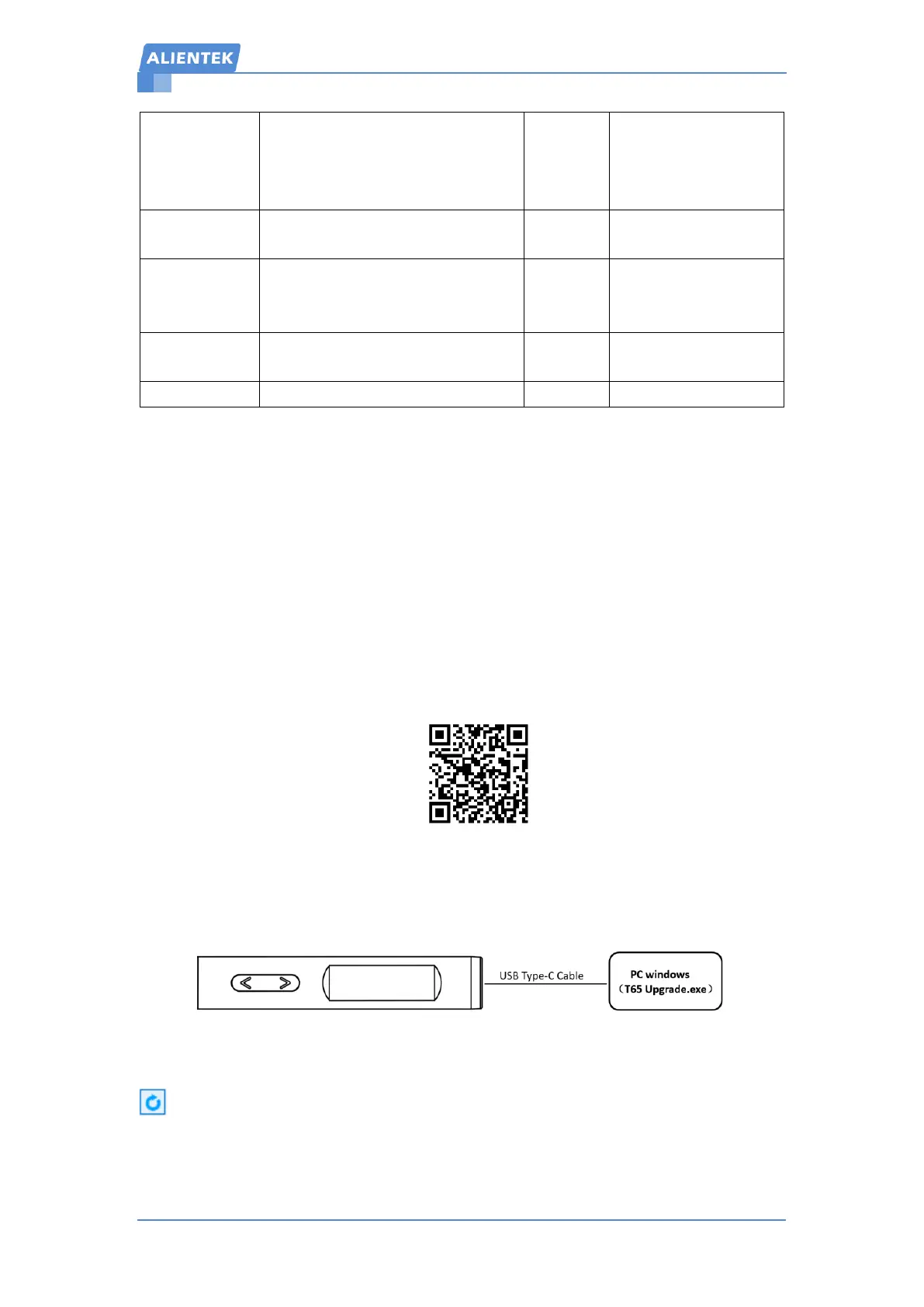
Step 2: Power off the device, press and hold the B button, then use the USB Type-c cable to
connect to the computer, power on the device, about 4 seconds, the screen displays "Upgrade...",
then release the button. The operation is shown in Figure 10-1 below:
Figure 10-1 Connection
Step 3: Open the upgrade software, wait for the device to automatically connect, or click
to re-connect. The connection is successful as shown in Figure 10-2 below:


 To Next Page