Oculus Rift with touch
NOTE: The USB dongles are only shipped with computers that are Oculus
certied.
1 Download and run the setup tools for your VR headset at www.dell.com/
VRsupport.
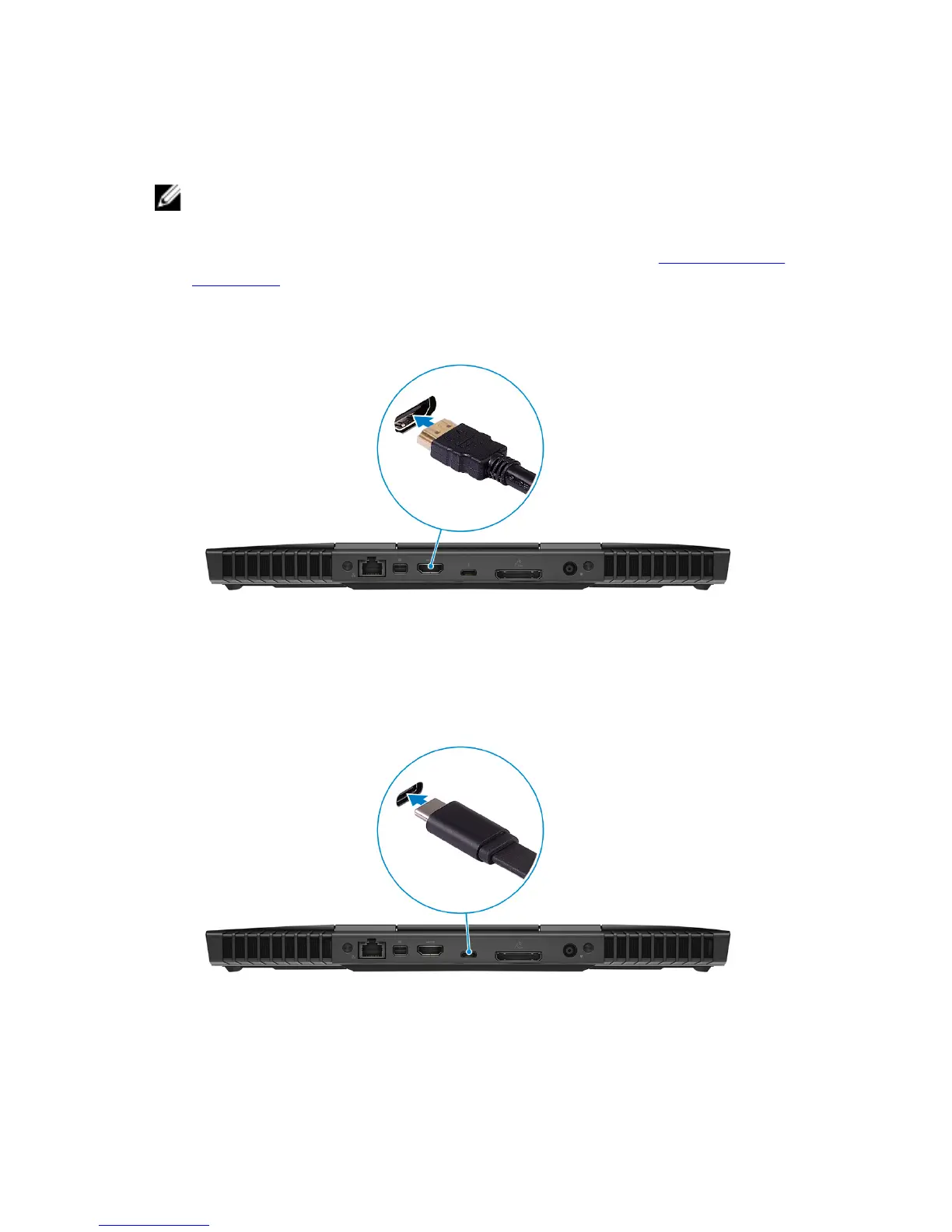
2 Connect the HDMI cable of the Oculus Rift headset to the back of your
computer.
3 Connect the Oculus Rift headset to the USB Type-A port at the right side of
your computer.
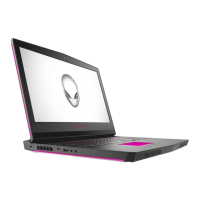
4 Connect a USB Type-C to Type-A dongle to the Thunderbolt 3 (USB Type-C)
port on the back of your computer.
5 Connect the Oculus Rift tracker to the USB Type-A port at the left side of
your computer.
8



 To Next Page