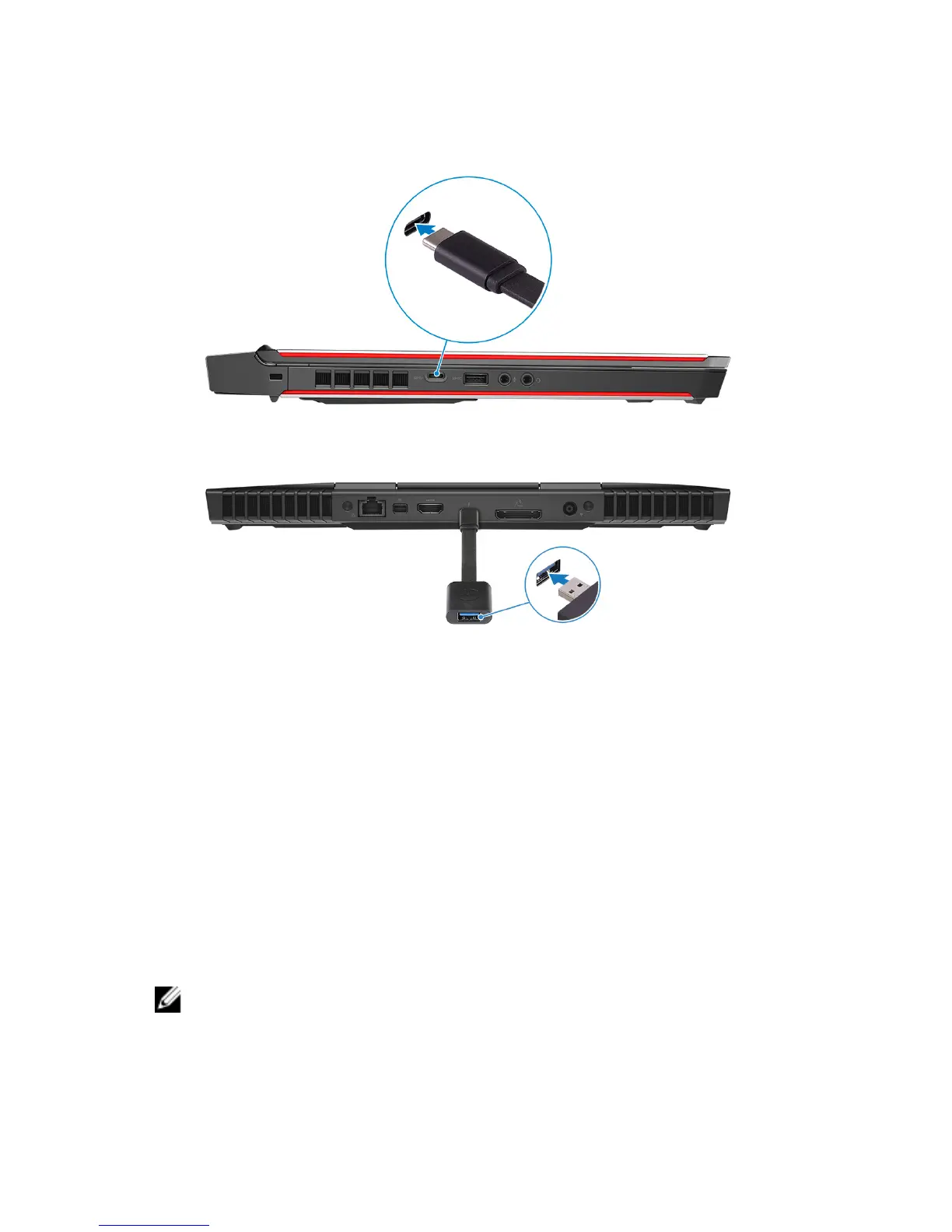
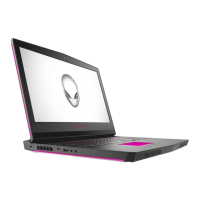
6 Connect a USB Type-C to Type-A dongle to the USB 3.1 Gen 2 (Type-C)
port at the left side of your computer.
7 Connect the XBOX controller to the USB Type-A port on the USB dongle.
8 Connect the Oculus Rift tracker for Touch to the USB Type-A port on the
dongle.
9 Follow the on-screen instructions to complete the setup.
Alienware Graphics Amplier
Alienware Graphics Amplier enables you to connect an external graphics card to
your computer.
When using the Virtual Reality (VR) headset, connect the HDMI cable to the
graphics card installed on your Alienware Graphics Amplier. The USB cables
from the VR headset can be connected either to your computer or your Alienware
Graphics Amplier.
NOTE: The USB dongle is not required, if you are connecting the USB 3.0
cables on your VR headset to the USB 3.0 Type-A port on your Alienware
Graphics Amplier.
9



 To Next Page